FidoDarts game guide

Game introduction

Learn how to play all FidoDarts games.

Count down from 501

01 Game

01 Game turns every score into a decision. Strong scoring builds the lead, but the final darts must finish the remaining points exactly.

Players
1–8 players · Solo · multiplayer
Starting score
501
Score direction
Count down
Finish
Exactly 0
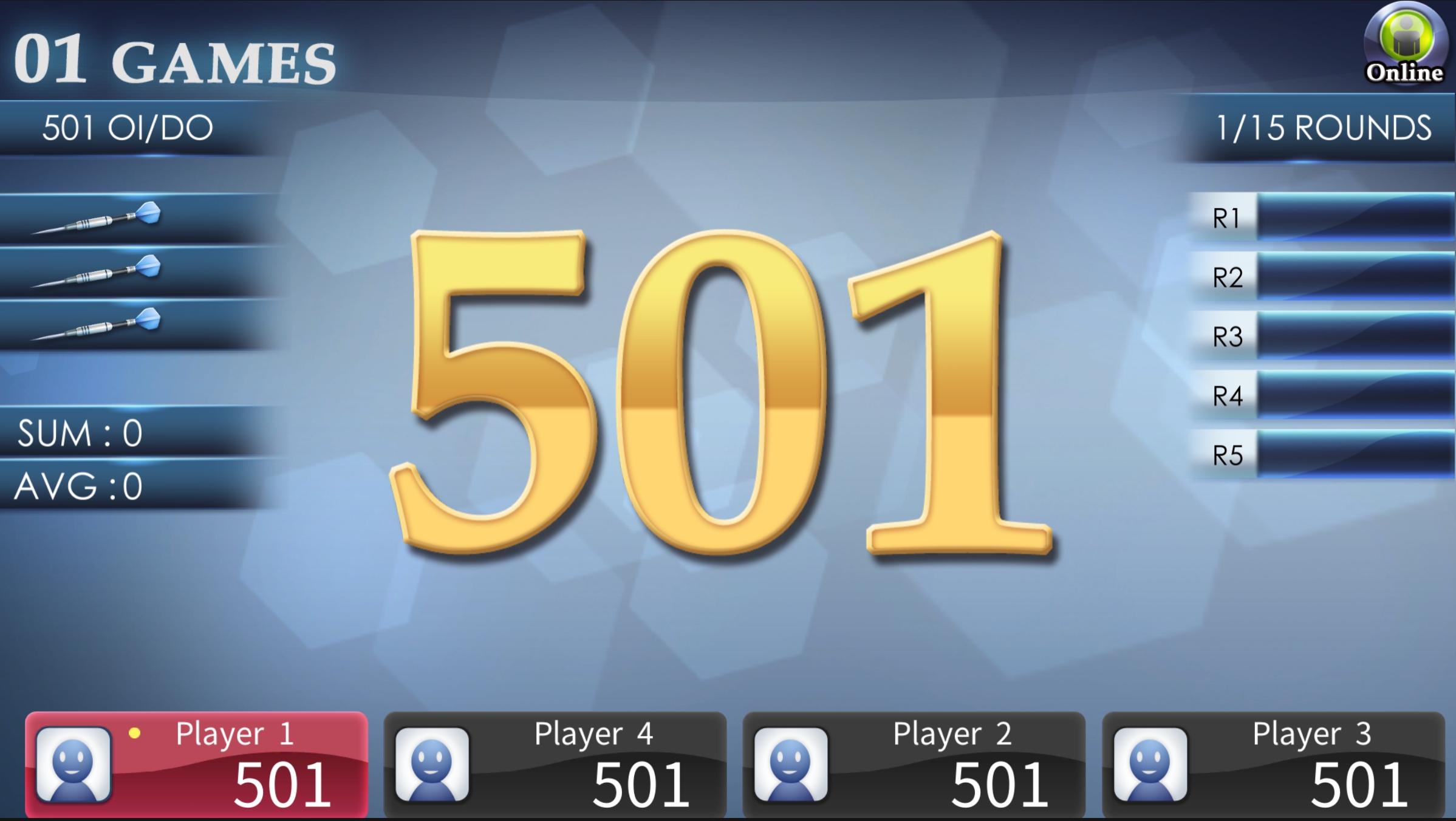
FidoDarts 01 Game screen showing player scores and the 501 countdown game
Actual FidoDarts 01 Game screen.
Game objective

Bring 501 down to zero

Each scored dart is deducted from your remaining total. Plan the final combination so the score reaches exactly zero.

How to win

Be the first to check out

The first player to reach exactly zero under the selected checkout rule wins. If nobody checks out before the game ends, FidoDarts uses CORK to decide the final winner.

How 01 Game works

Subtract scores and finish at exactly zero

  1. 01

    Begin at 501

    Every player starts with 501 points.

  2. 02

    Subtract every score

    The points scored in each turn are deducted from that player's remaining total.

  3. 03

    Plan the checkout

    Use the selected Open or Double rule and make the remaining score exactly zero.

Checkout options

Compare the three checkout settings

In describes how scoring begins. Out describes how the game must be finished.

OI / OO

Open In · Open Out

Scoring may begin on any valid segment, and any valid segment may complete the checkout.

OI / DO

Open In · Double Out

Scoring may begin immediately, but the final dart must finish on a Double.

DI / DO

Double In · Double Out

A Double is required to begin scoring, and a Double is also required to finish.

Open 15–20 and Bull

Cricket

Cricket rewards control as much as accuracy. Players race to open the target numbers, protect scoring chances and close the areas their opponents still need.
Players
1–8 players · Solo · multiplayer
Targets
15–20 and Bull
Open a target
3 Counts
Game styles
3 modes
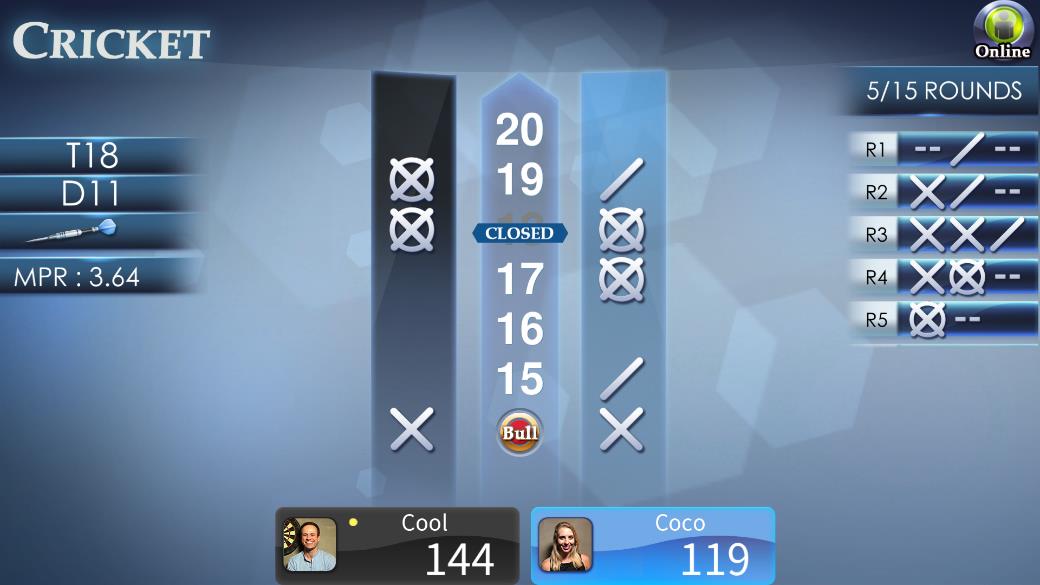
FidoDarts Standard Cricket screen showing numbers 15 through 20 and Bull
Actual FidoDarts Standard Cricket screen.
Game objective

Open the targets you need

Score three Counts on each target from 15 to 20 and Bull. After you open a target, later hits can add points while an opponent still has that target open.

How to win

Close the board with the leading score

Close every target and hold the highest score. A target stops scoring after every player has closed it. The final result is decided when all targets are closed or all rounds are complete.

How Cricket works

Open targets, score points and close every target

  1. 01

    Aim at 15–20 and Bull

    Only these seven target areas are used in Standard Cricket.

  2. 02

    Collect three Counts

    A Single is one Count, a Double is two and a Triple is three. Three Counts open that target.

  3. 03

    Score on an open target

    Further hits add points while another player has not yet closed the same target.

  4. 04

    Close every target

    Once all players close a target, nobody can score on it again.

Cricket score marks

Read the Count symbols

The mark beside each target shows progress toward the three Counts required to open it.

0 Count No mark yet
1 Count One hit
2 Counts Two hits
3 Counts Target opened

Three Cricket modes

Compare Standard, Cut Throat and Tactics Cricket

Each mode keeps Cricket's target-control idea but changes how points or target areas work.

FidoDarts Standard Cricket game screen

Standard Cricket

Open 15–20 and Bull, score on targets your opponents have not closed, then close the board.

Winner: highest score after completing the targets
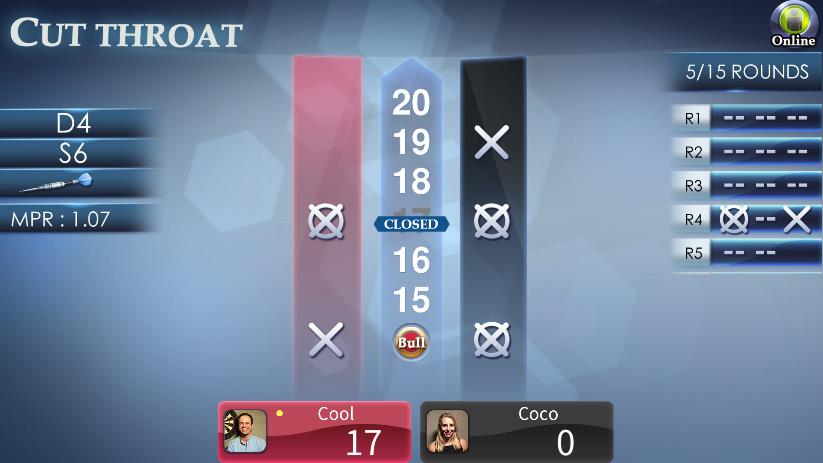
FidoDarts Cut Throat Cricket game screen

Cut Throat Cricket

The Cricket structure remains, but hits in scoring areas give points to the opponent. The aim is to avoid the higher total.

Winner: lower score
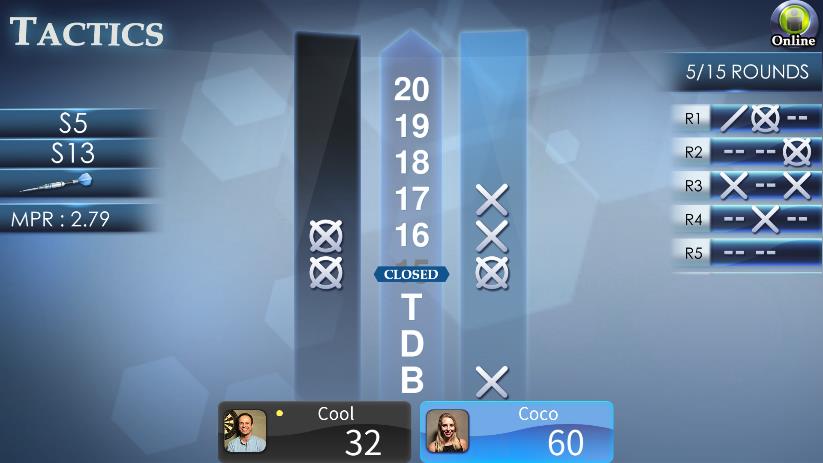
FidoDarts Tactics Cricket game screen

Tactics Cricket

A tactical Cricket variation that also includes Double and Triple target areas. A Triple hit can be used to close a Cricket number or score points.

Winner: complete the targets with the leading score

Add scores across 8 rounds

Count Up

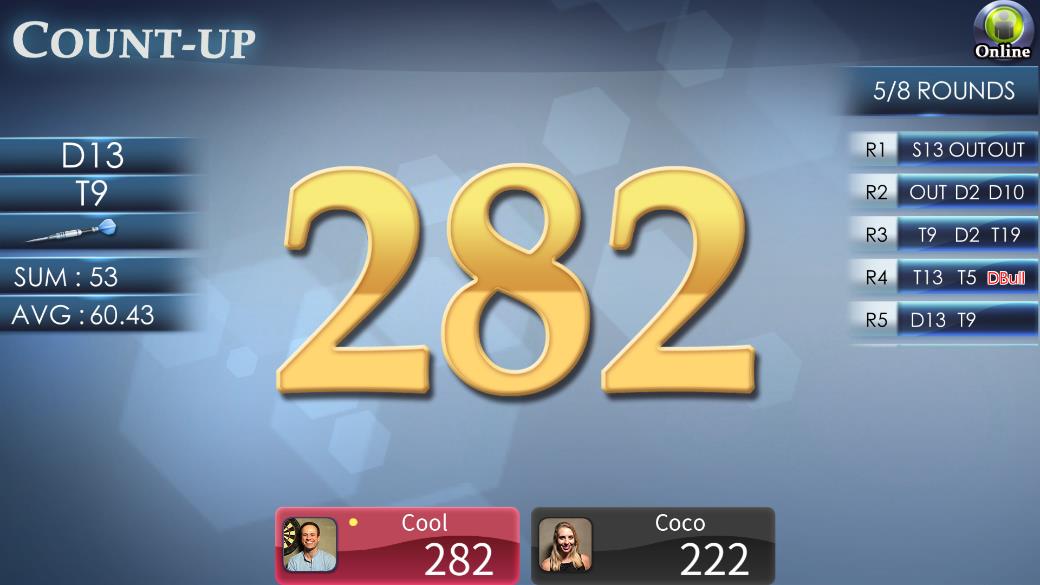
Count Up is direct and easy to follow: every point matters, every round builds the total, and the scoreboard shows exactly who is ahead.
Players
1–8 players · Solo · multiplayer
Rounds
8
Score direction
Count up
Winner
Highest score
FidoDarts Count Up screen showing accumulated player scores
Actual FidoDarts Count Up game screen.
Game objective

Score as much as possible

Every valid score is added to your running total. There is no checkout: keep building the score for all eight rounds.

How to win

Finish with the highest total

After eight rounds, the player with the highest accumulated score wins.

How Count Up works

Add every score across eight rounds

  1. 01

    Start from zero

    Every player begins with a score of zero.

  2. 02

    Add each throw

    All scored darts add directly to the player's running total.

  3. 03

    Complete eight rounds

    Compare the final totals after Round 8. The largest total wins.

Combine 01 Game and Cricket

MEDLEY

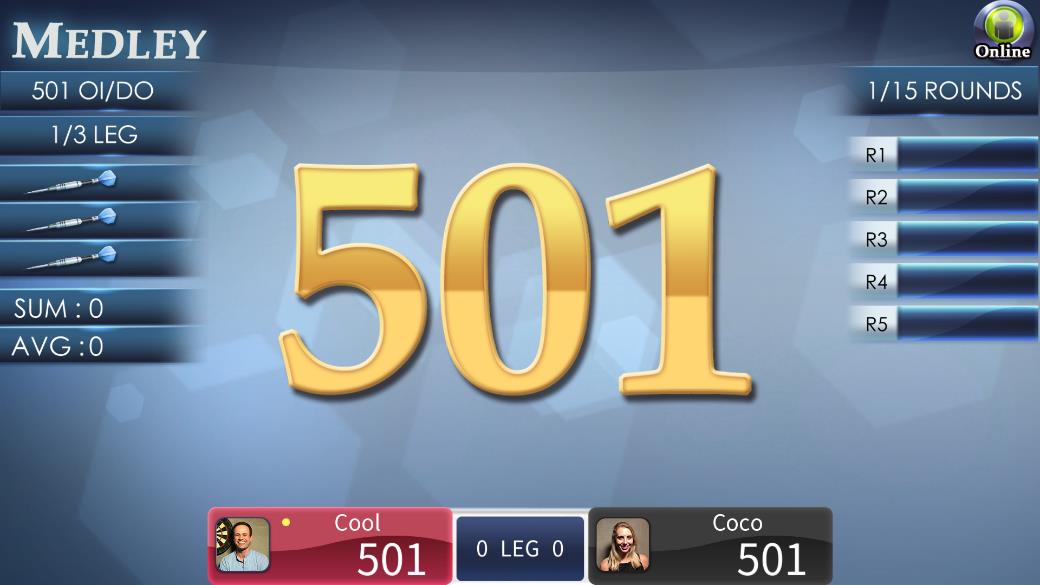
MEDLEY combines classic FidoDarts games such as 01 Game and Cricket. Each completed game counts as a win, and the player with the most wins takes the match.
Players
1–4 players
Doubles
2–8 players
Games
01 Game and Cricket
Match format
Multiple games
FidoDarts MEDLEY main game screen
Actual FidoDarts MEDLEY game screen.
Game objective

Collect wins across the MEDLEY

Play the selected sequence of 01 Game and Cricket games. Each game won adds one win to the match result.

How to win

Secure the required wins first

The player who wins the most games wins the match. The match ends early as soon as a player secures the required wins; in Best of 3, two wins end the match.

How MEDLEY works

Play each game and build the winning total

  1. 01

    Choose the match format

    The selected MEDLEY determines the sequence and required number of wins.

  2. 02

    Play the classic games

    Complete the included 01 Game and Cricket games.

  3. 03

    Count each game win

    Every completed game updates the match win total.

  4. 04

    Reach the required wins

    The match ends immediately when one player can no longer be overtaken.

Rule visuals

Match format and result screens

These screens show the selected MEDLEY format and the final match result.
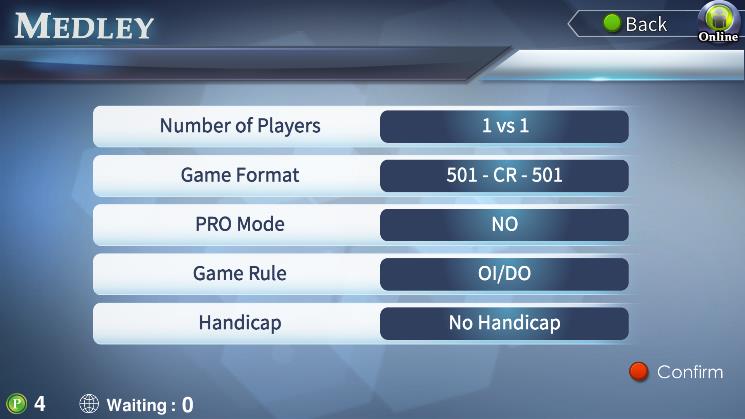
FidoDarts MEDLEY match format screen
MEDLEY formatThe match screen shows the games included in the selected format.
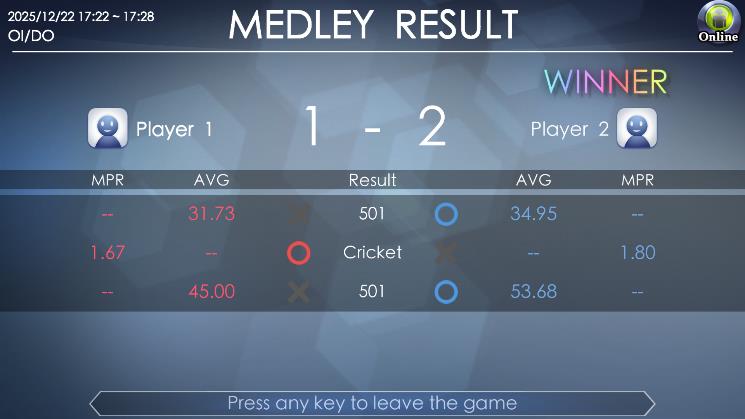
FidoDarts MEDLEY result screen
Match resultThe result screen summarizes the completed MEDLEY.

501 under a fixed competition format

PRO 501

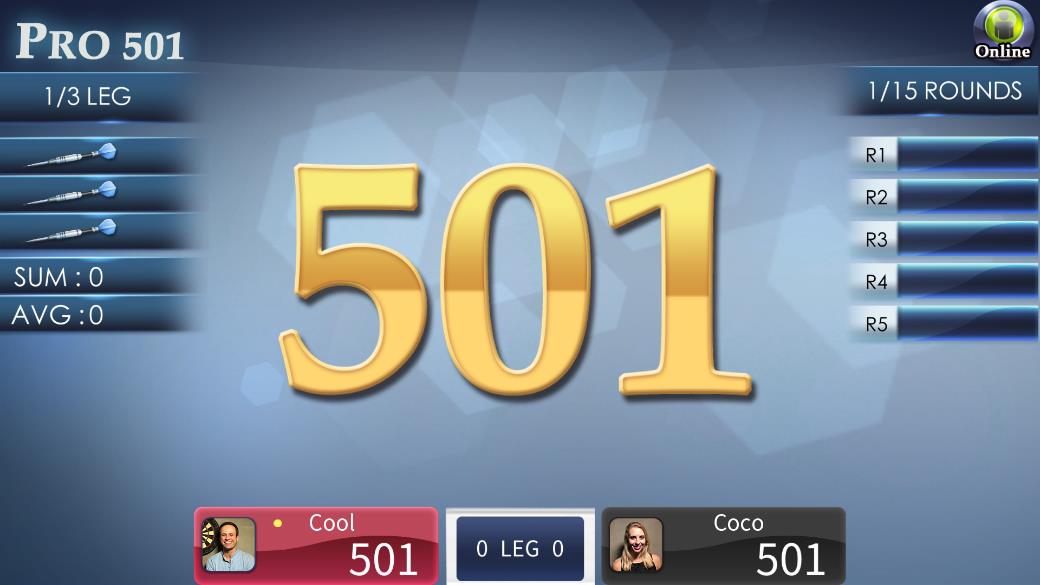
PRO 501 follows 01 Game scoring in a competition format. Two players can play one Leg/Set or a Best of 3, Best of 5, Best of 7 or another available multi-Leg/Set match.
Players
2 players
Starting score
501
Rule
Fixed OI / DO
Formats
1 Leg/Set or Best of series
FidoDarts PRO 501 competition game screen
Actual FidoDarts PRO 501 game screen.
Game objective

Check out 501 under competition rules

Follow 01 Game scoring: subtract each score from 501 and finish exactly at zero. PRO 501 fixes the rule at Open In / Double Out.

How to win

Reach the match win target

A single Leg/Set ends when one player wins it. In a Best of series, the match ends immediately when one player reaches the required victories; Best of 3 ends at two wins.

How PRO 501 works

Play 501 one leg at a time

  1. 01

    Choose the match length

    Select one Leg/Set or an available Best of 3, Best of 5, Best of 7 or other multi-Leg/Set format.

  2. 02

    Start each game at 501

    Both players count down from 501 following 01 Game scoring.

  3. 03

    Finish on a Double

    Open In / Double Out is fixed and cannot be customized.

  4. 04

    Complete the match

    The match ends as soon as one player reaches the required number of wins.

Seven mini-games with drink penalties

BEVERAGES

BEVERAGES is a seven-round party game. Each round uses a different mini-game, and the losing player receives a drink penalty.

Players
1–4 players
Mini-games
7
Each round
Loser gets a drink penalty
Winner
Fewest penalties
FidoDarts BEVERAGES main game screen
Actual FidoDarts BEVERAGES game screen.
Game objective

Avoid drink penalties across seven rounds

Complete all seven mini-games. Each mini-game tests a different action or scoring goal.

How to win

Finish with the fewest penalties

After all seven rounds, the player with the fewest drink penalties wins.

Seven BEVERAGES mini-games

A different challenge in every round

  1. 01

    COUNT-UP

    Aim for the highest score.

  2. 02

    BALLOON

    Do not let the balloon burst.

  3. 03

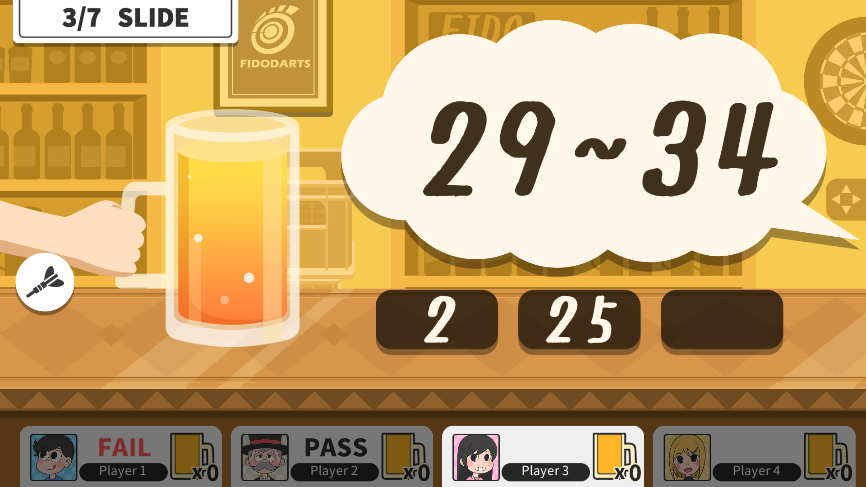
    SLIDE

    Slide the beverage into the target range.

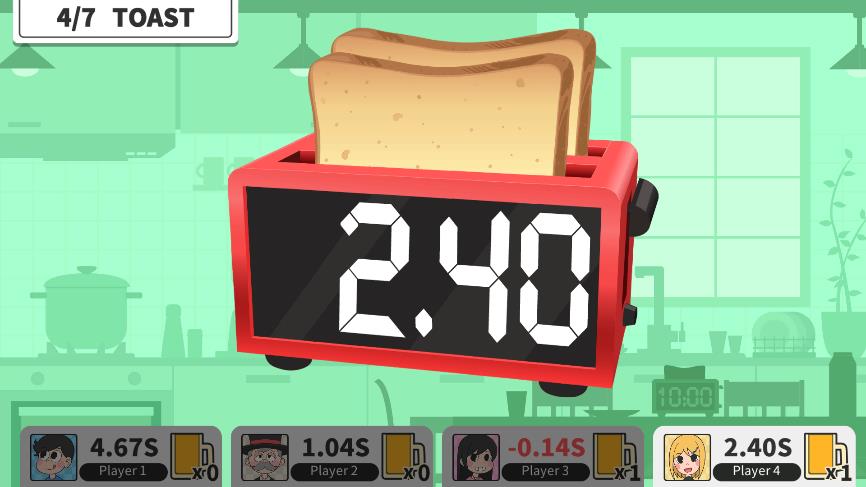
  4. 04

    TOAST

    Stop the toaster at the best moment.

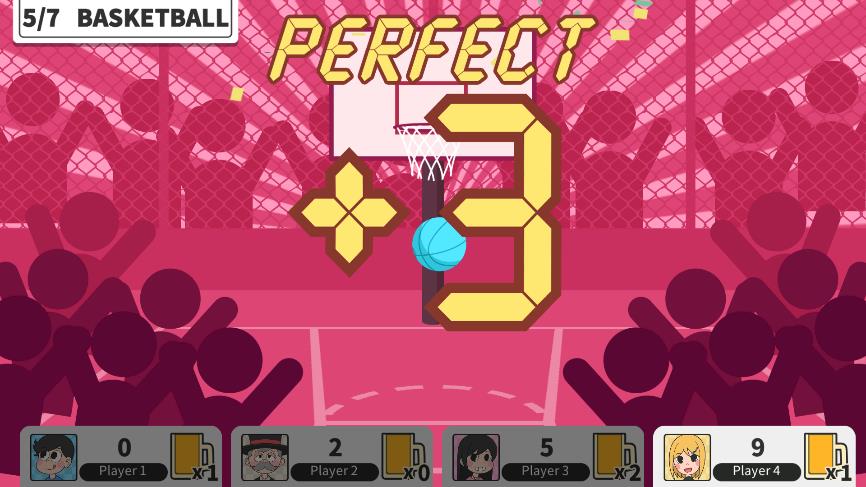
  5. 05

    BASKETBALL

    Aim for the center to score more.

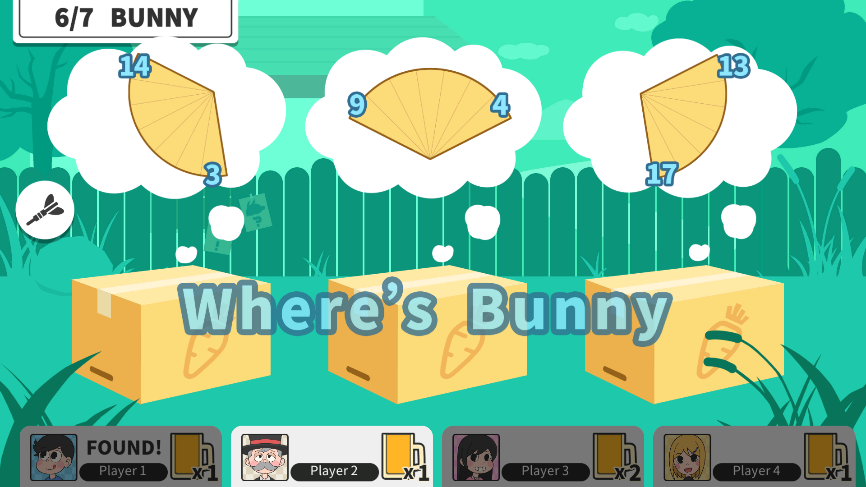
  6. 06

    BUNNY

    Watch carefully and find the bunny.

  7. 07

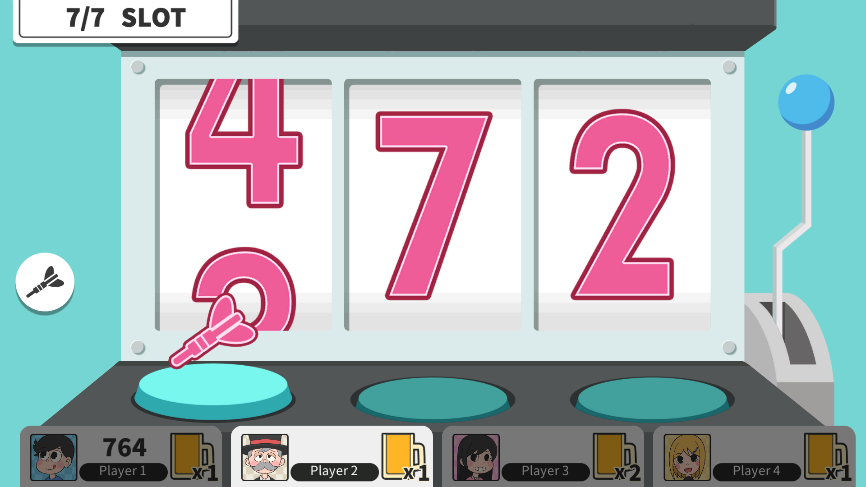
    SLOT

    Throw darts to get the maximum number.

Rule visuals

Seven mini-games and result screens

See the round penalty, final result and the screen used by each mini-game.
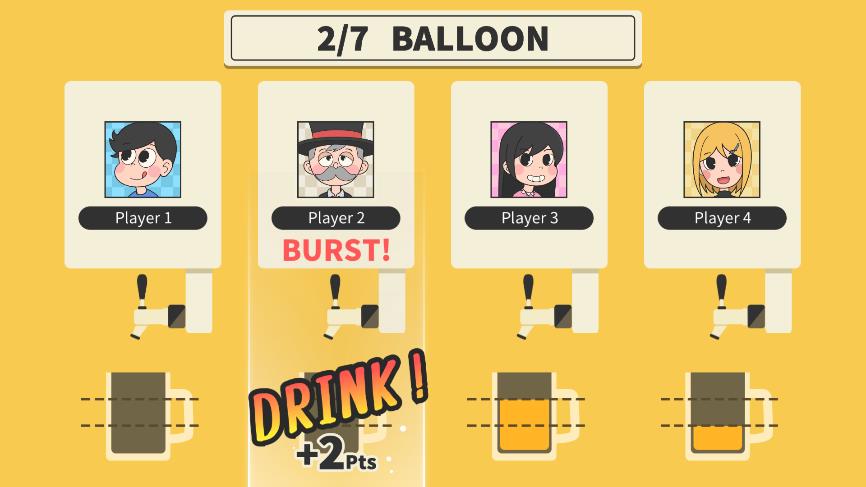
FidoDarts BEVERAGES round result drink penalty screen
Round resultThe losing player receives the round's drink penalty.
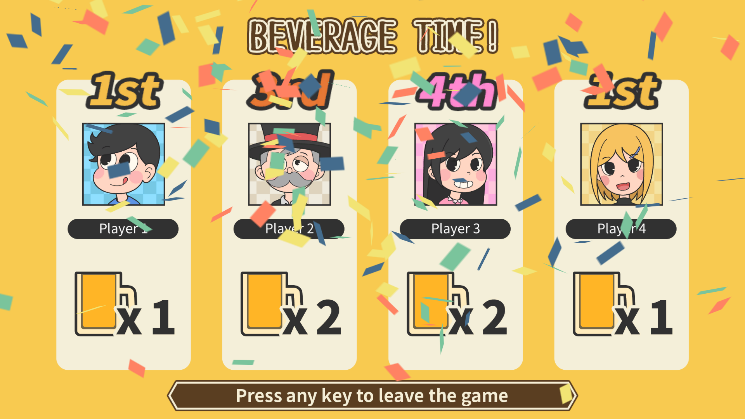
FidoDarts BEVERAGES final result screen
Final resultThe final screen compares penalties after all seven rounds.
FidoDarts BEVERAGES COUNT-UP mini-game screen
COUNT-UPAim for the highest score.
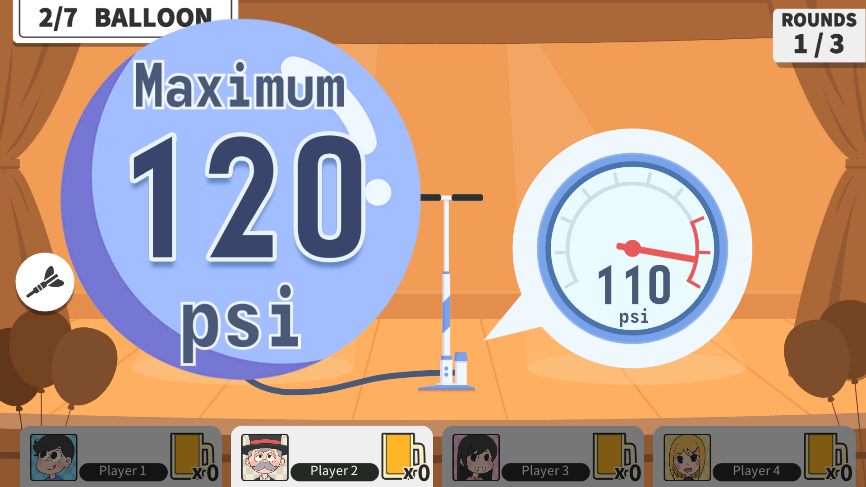
FidoDarts BEVERAGES BALLOON mini-game screen
BALLOONKeep the balloon from bursting.
FidoDarts BEVERAGES SLIDE mini-game screen
SLIDEMove the beverage into the target range.
FidoDarts BEVERAGES TOAST mini-game screen
TOASTStop the toaster at the best moment.
FidoDarts BEVERAGES BASKETBALL mini-game screen
BASKETBALLAim for the center for more score.
FidoDarts BEVERAGES BUNNY mini-game screen
BUNNYWatch and identify the bunny.
FidoDarts BEVERAGES SLOT mini-game screen
SLOTThrow darts to obtain the maximum number.

Gameplay video

Watch BEVERAGES gameplay

This muted video starts automatically and loops while this game is open.

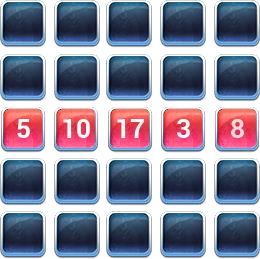
Build two lines before your opponent

BINGO

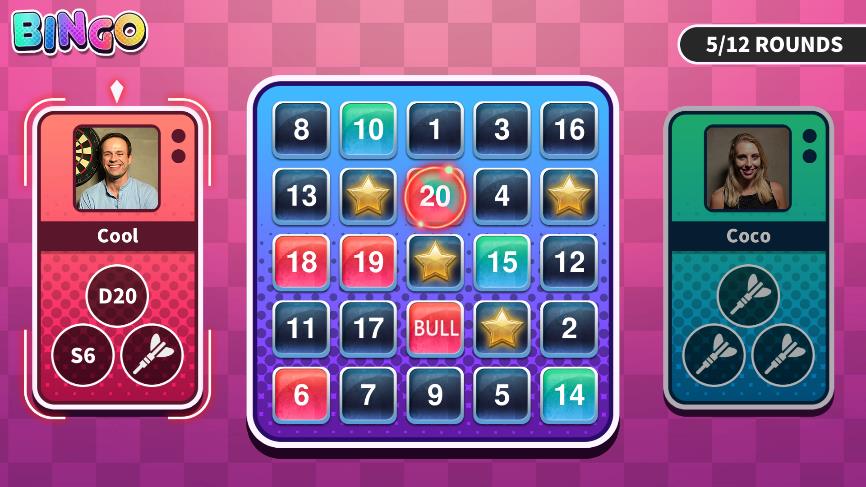
BINGO turns the board into a two-player contest for blocks. Complete two lines while defending occupied blocks and using the shared Star.
Players
2 players
Line
5 consecutive blocks
Win target
2 lines
Star
Shared by both players
FidoDarts BINGO game screen
Actual FidoDarts BINGO game screen.
Game objective

Occupy blocks to form two lines

A line is five consecutive occupied blocks vertically, horizontally or diagonally.

How to win

Complete two lines first

The first player to form two lines wins the game.

How BINGO works

Build lines and take over key blocks

  1. 01

    Occupy blocks

    Hit the corresponding areas to claim blocks on the BINGO board.

  2. 02

    Connect five blocks

    Five consecutive blocks vertically, horizontally or diagonally form one line.

  3. 03

    Grab an occupied block

    Hit an opponent's occupied block twice to take it over.

  4. 04

    Use the shared Star

    The Star is a bonus block that belongs to both players.

  5. 05

    Complete two lines

    The first player to make two lines wins.

Rule visuals

BINGO rules at a glance

The rule graphics show the win target, a completed line, block grabbing and the shared Star.

FidoDarts BINGO graphic explaining the two-line win condition
WinningMake two lines before the opponent.
FidoDarts BINGO graphic showing five occupied blocks forming a line
LineConnect five blocks vertically, horizontally or diagonally.
FidoDarts BINGO graphic explaining how to grab an occupied block
GrabbingHit the opponent's occupied block twice to take it.
FidoDarts BINGO shared Star bonus block
StarThis bonus block belongs to both players.

Gameplay video

Watch BINGO gameplay

This muted video starts automatically and loops while this game is open.

Attack, charge SP and protect your HP

BOXING

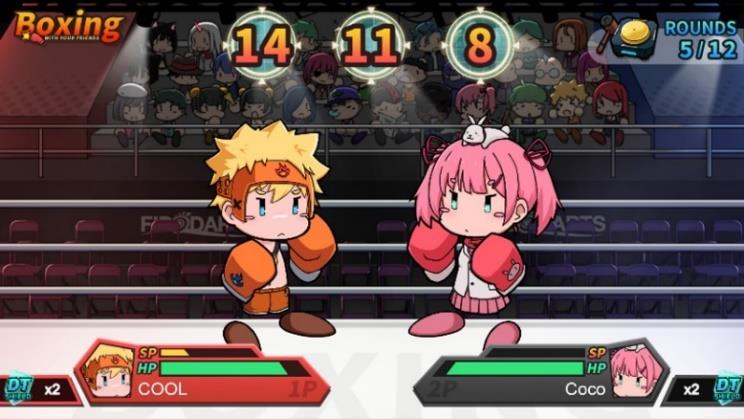
BOXING is a two-player battle driven by dart targets. Accurate combinations charge SP, while Doubles, Triples and number 20 provide defensive options.
Players
2 players
Attack
Hit assigned numbers
Special attack
Fill the SP gauge
Win
Opponent HP reaches 0
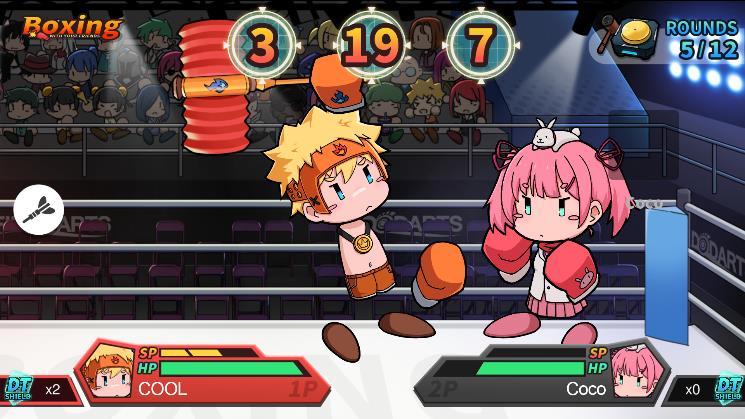
FidoDarts BOXING game screen
Actual FidoDarts BOXING game screen.
Game objective

Reduce the opponent's HP to zero

Attack by hitting the assigned number. The target numbers are shown as three adjacent dartboard segments.

How to win

Knock out the opponent

The first player to reduce the opponent's HP to 0 wins.

How BOXING works

Attack, charge SP and defend

  1. 01

    Attack the assigned targets

    Hit the three adjacent target numbers shown by the game to damage the opponent.

  2. 02

    Charge the SP gauge

    Hit target numbers in specific patterns to increase SP.

  3. 03

    Use an SP attack

    When the SP gauge is full, unleash the SP attack skill.

  4. 04

    Complete an SP pattern

    Charge SP by hitting all three target numbers in one round or the same target number three times in one round.

  5. 05

    Gain a DT Shield

    Hit Double or Triple segments to receive a protective DT Shield.

  6. 06

    Restore HP

    Hit number 20 to recover HP.

Rule visuals

BOXING attacks, SP patterns and defense

These screens show the target areas, SP attacks, charging patterns, shield and HP recovery.

FidoDarts BOXING graphic showing the HP win condition
Win conditionReduce the opponent's HP to 0.
FidoDarts BOXING graphic showing three assigned target areas
Assigned targetsHit the three target numbers shown by the game.
FidoDarts BOXING dartboard graphic showing three adjacent target segments
Adjacent segmentsThe three assigned numbers are adjacent dartboard segments.
FidoDarts BOXING character HP and SP gauge
SP gaugeSpecific target patterns increase SP until the special attack is ready.
FidoDarts BOXING first SP attack screen
SP attack screen 1A full SP gauge allows the special attack.
FidoDarts BOXING second SP attack screen
SP attack screen 2The SP attack damages the opponent.
FidoDarts BOXING SP pattern showing three target numbers hit in one round
SP pattern 1Hit all three target numbers in one round.
FidoDarts BOXING SP pattern showing one target hit three times
SP pattern 2Hit the same target number three times in one round.
FidoDarts BOXING graphic explaining the DT Shield
DT ShieldHit a Double or Triple segment to gain protection.
FidoDarts BOXING graphic explaining HP recovery by hitting number 20
Restore HPHit number 20 to recover HP.

Gameplay video

Watch BOXING gameplay

This muted video starts automatically and loops while this game is open.

Race your donkey to the finish

DONKEY

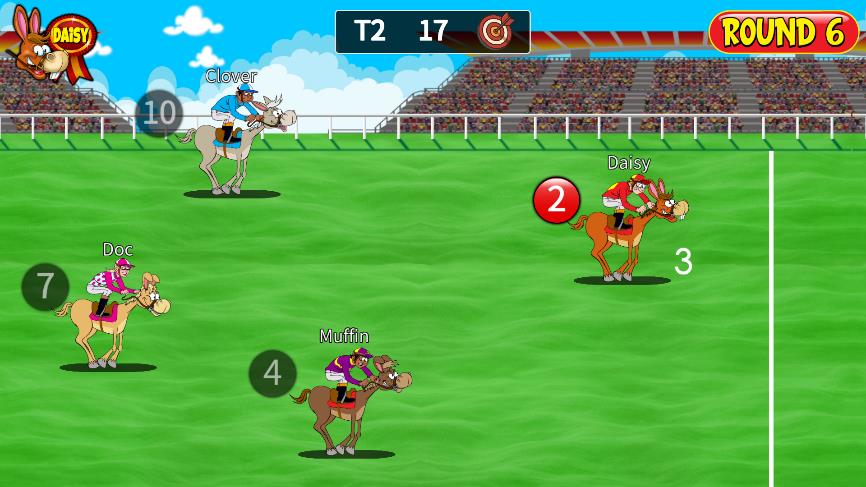
DONKEY gives every player a target number and turns accurate hits into race movement. Move your donkey forward while sending opponents backward.
Players
1–6 players
Target setup
Throw with non-dominant hand
Own target
Move forward
Opponent target
Move opponent backward
FidoDarts DONKEY game screen
Actual FidoDarts DONKEY game screen.
Game objective

Move your donkey toward the finish

Hit your own target number to move forward. Hit an opponent's target number to move that donkey backward; Doubles and Triples increase movement.

How to win

Reach the finish or be closest

The first player to reach the finish wins. If the game ends first, the player closest to the finish wins.

How DONKEY works

Set a target number and race

  1. 01

    Determine target numbers

    Each player throws one dart with the non-dominant hand to set a target number.

  2. 02

    Hit your own target

    A hit on your target number moves your donkey forward.

  3. 03

    Hit an opponent's target

    A hit on an opponent's target number moves that donkey backward.

  4. 04

    Use Doubles and Triples

    Double and Triple hits increase the amount of movement.

Rule visuals

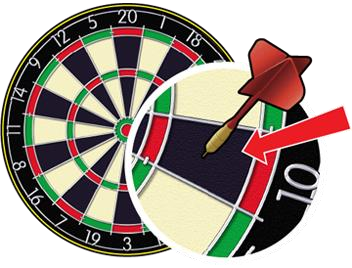
How target numbers are assigned

The dartboard graphic shows how the opening throw determines each player's target number.
FidoDarts DONKEY dartboard graphic explaining target number selection
Target numberThrow with the non-dominant hand to determine the number used in the race.

Gameplay video

Watch DONKEY gameplay

This muted video starts automatically and loops while this game is open.

Climb ladders and avoid snakes

SNAKELADDER

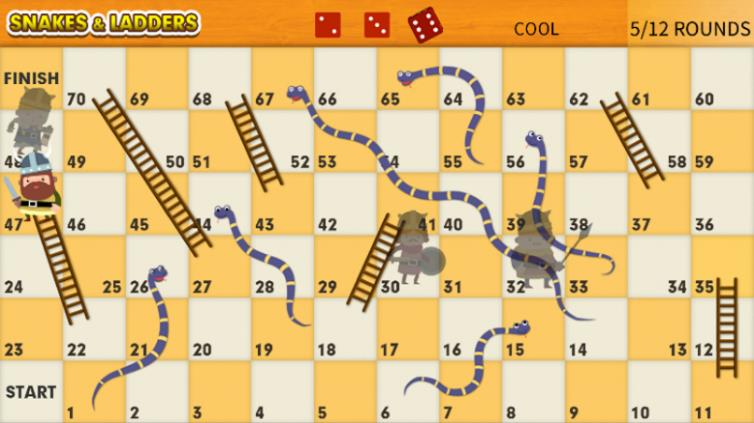
SNAKELADDER maps dart results to movement on the board. Ladders give quick progress, while snakes send a player backward.
Players
2–4 players
Goal
Reach FINISH first
Ladder
Move forward
Snake
Slide backward
FidoDarts SNAKELADDER game screen
Actual FidoDarts SNAKELADDER game screen.
Game objective

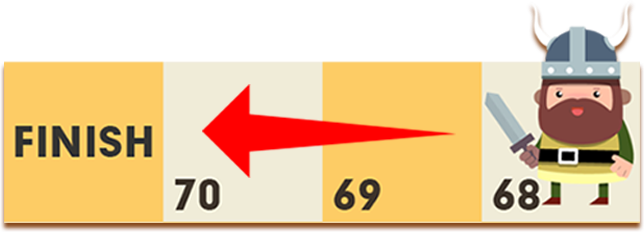
Be the first player to FINISH

Use each dart result to move the mapped number of steps across the board.

How to win

Reach FINISH before everyone else

The first player whose movement reaches FINISH wins.

How SNAKELADDER works

Turn dart hits into board movement

  1. 01

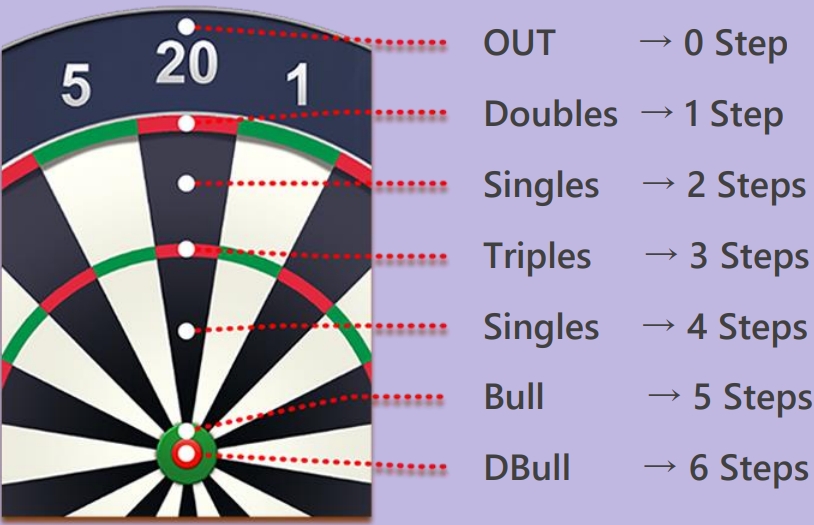
    Throw for steps

    Use the displayed dartboard mapping to determine how many steps to move.

  2. 02

    Climb a ladder

    Landing on a ladder moves the player forward quickly.

  3. 03

    Slide down a snake

    Landing on a snake sends the player backward.

  4. 04

    Reach FINISH

    Continue moving until one player reaches the finish first.

Rule visuals

Movement, ladders, snakes and mapping

These rule graphics show the finish goal, ladder and snake movement, and the dartboard-to-step mapping.

FidoDarts SNAKELADDER graphic explaining how to finish
FINISHBe the first player to reach the finish.
FidoDarts SNAKELADDER ladder graphic
+STEPSA ladder moves the player forward.
FidoDarts SNAKELADDER snake graphic
−STEPSA snake moves the player backward.
FidoDarts SNAKELADDER dartboard and step mapping chart
Step mappingThe dartboard areas map to different movement values.

Gameplay video

Watch SNAKELADDER gameplay

This muted video starts automatically and loops while this game is open.

Find targets and sink ships for bonus points

SINK THE SHIP

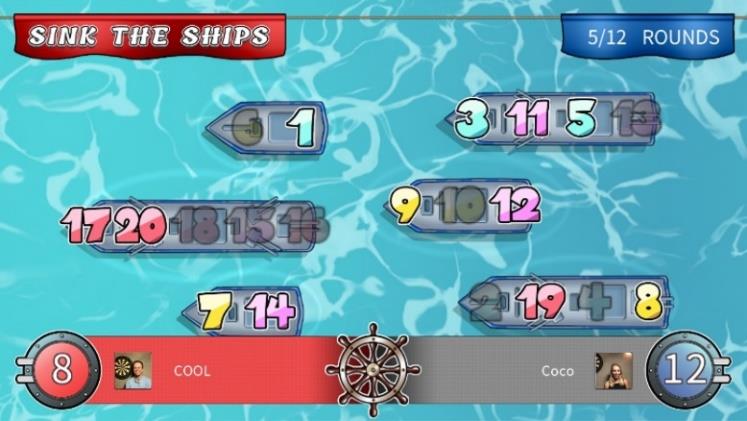
SINK THE SHIP awards one point for each target number hit. T20 can detonate three random numbers, and sinking larger ships earns larger bonuses.
Players
2 or 4 players
Target hit
+1 point
T20 bonus
Detonates 3 numbers
Winner
Highest score
FidoDarts SINK THE SHIP game screen
Actual FidoDarts SINK THE SHIP game screen.
Game objective

Build points by hitting targets and sinking ships

Every target number hit scores one point. Use T20 to randomly detonate three numbers and uncover ship areas.

How to win

Finish with the higher score

The player or team with the higher score wins.

How SINK THE SHIP works

Hit targets and collect ship bonuses

  1. 01

    Hit a target number

    Every number hit adds 1 point.

  2. 02

    Trigger the T20 bonus

    A T20 hit randomly detonates three numbers.

  3. 03

    Sink ships

    Completing a ship awards a bonus based on its size.

  4. 04

    Count the ship bonus

    A 2-size ship gives 5 points, 3-size gives 10, 4-size gives 15 and 5-size gives 20.

Rule visuals

Ship sizes and bonus points

Larger ships award larger bonuses when sunk.

FidoDarts SINK THE SHIP two-size ship worth five points
2-size ship+5 points
FidoDarts SINK THE SHIP three-size ship worth ten points
3-size ship+10 points
FidoDarts SINK THE SHIP four-size ship worth fifteen points
4-size ship+15 points
FidoDarts SINK THE SHIP five-size ship worth twenty points
5-size ship+20 points

Gameplay video

Watch SINK THE SHIP gameplay

This muted video starts automatically and loops while this game is open.

Real-time matches from anywhere

GLOBALMATCH

GLOBALMATCH brings existing FidoDarts games online. View players in the lobby, send or receive invitations, and play together in real time regardless of distance.
Players
2 or 4 players
Connection
Real-time remote match
Lobby
View and invite players worldwide
Game types
7
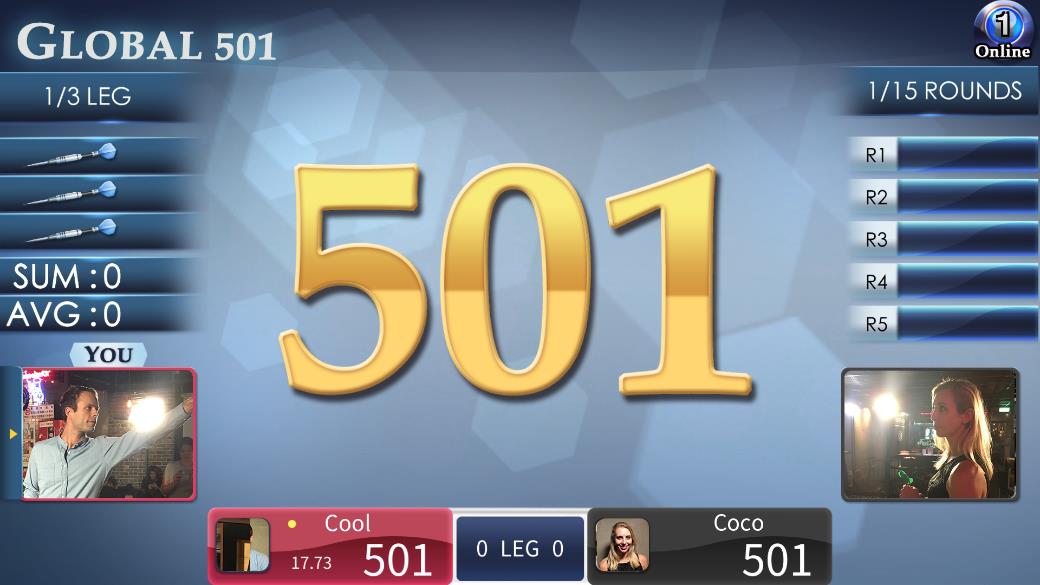
FidoDarts GLOBALMATCH online match game screen
Actual FidoDarts GLOBALMATCH game screen.
Game objective

Challenge players from anywhere

Use the online lobby to find and invite FidoDarts players, then compete in a real-time remote match.

Available online games

Choose from seven GLOBALMATCH games

GLOBALMATCH currently includes these game types.

  • Global 501
  • Global PRO 501
  • Global Medley
  • Global Cricket
  • Global Boxing
  • Global Bingo
  • Global PRO 701

Rule visuals

Online match lobby features

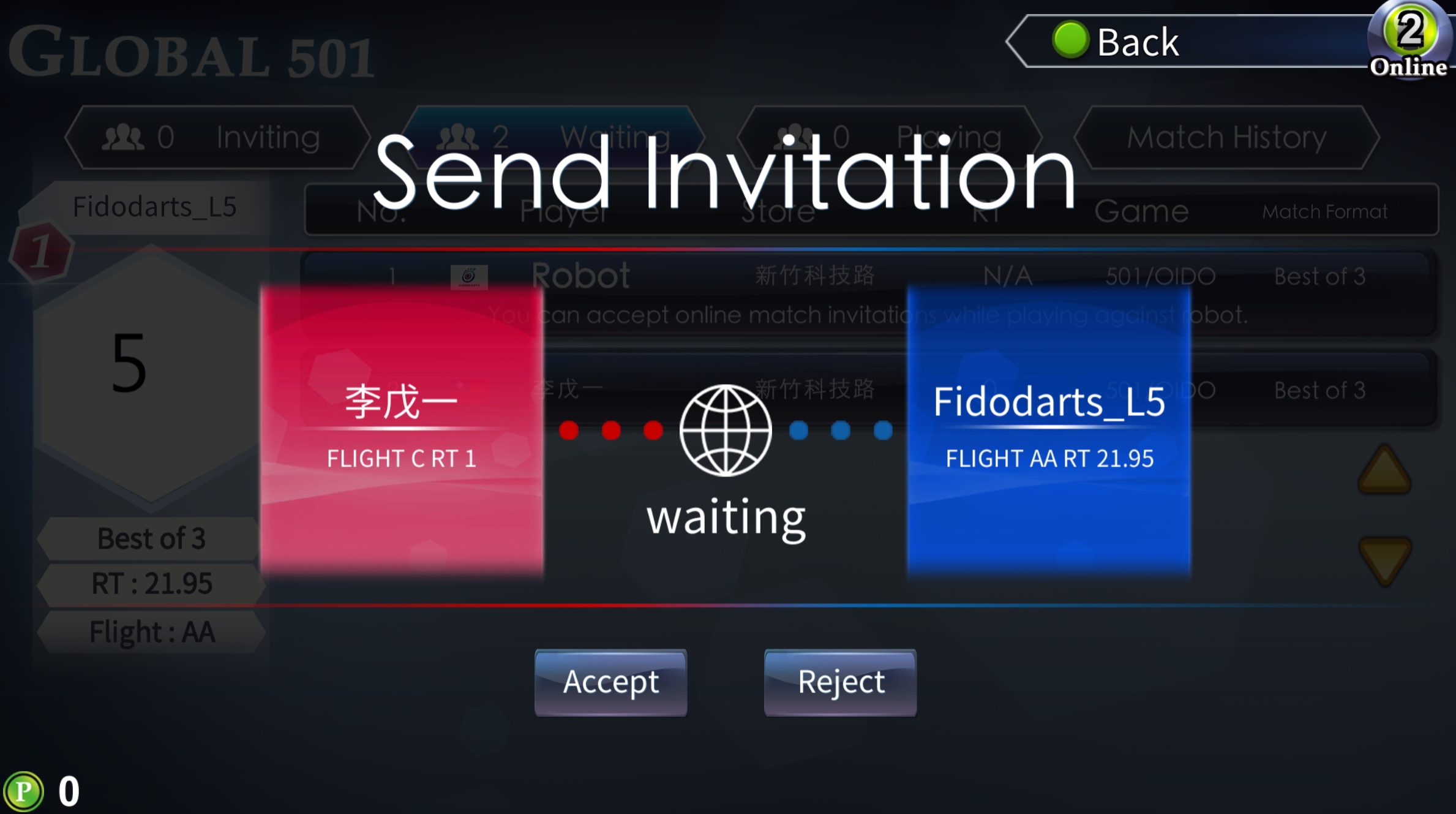
These are three independent lobby features for viewing players, managing invitations and publishing a match announcement.
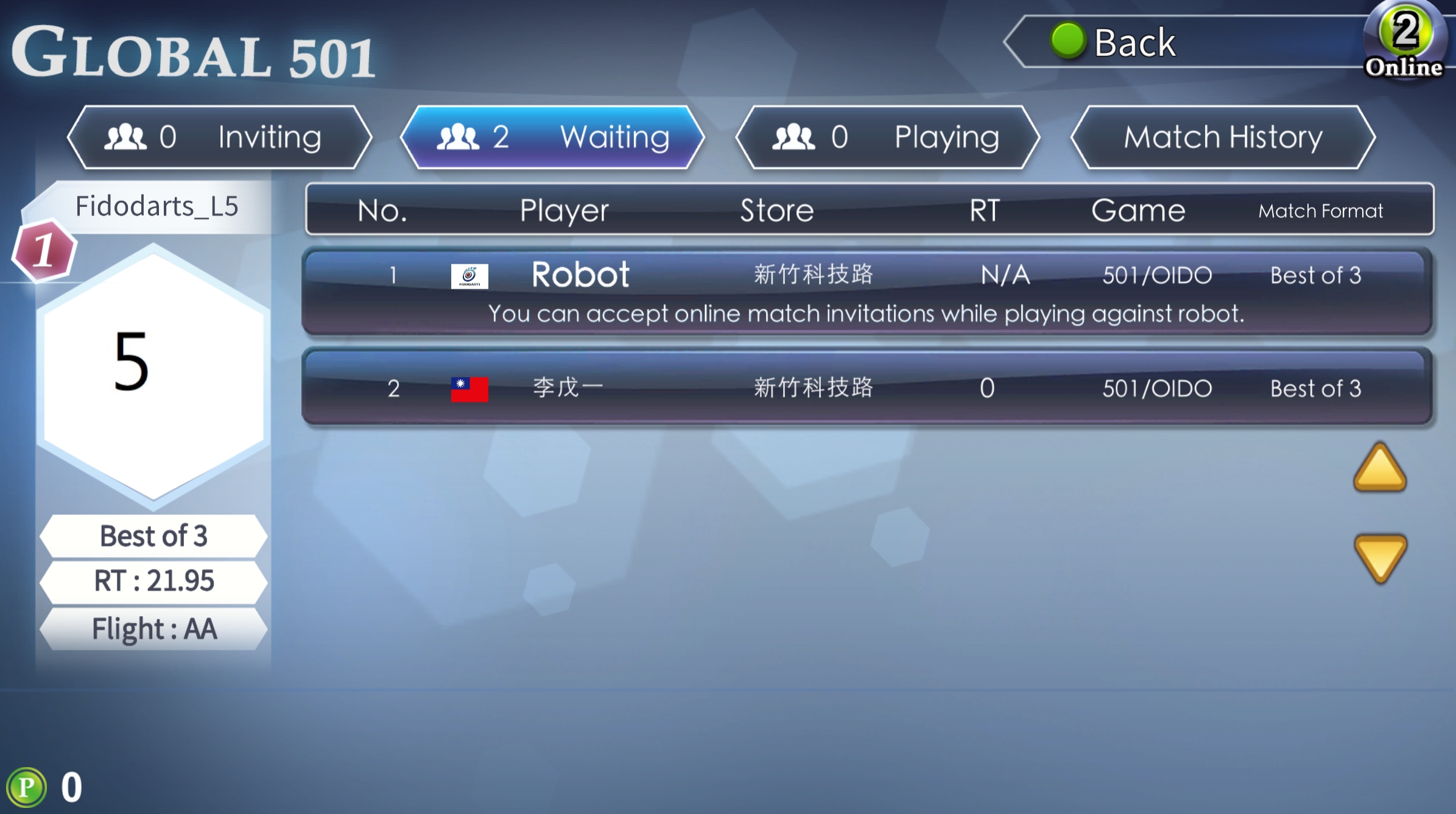
FidoDarts GLOBALMATCH lobby showing other players
Online match lobbyView other FidoDarts players.
FidoDarts GLOBALMATCH received match invitation screen
Invite playersSend an invitation or receive an invitation from another player.
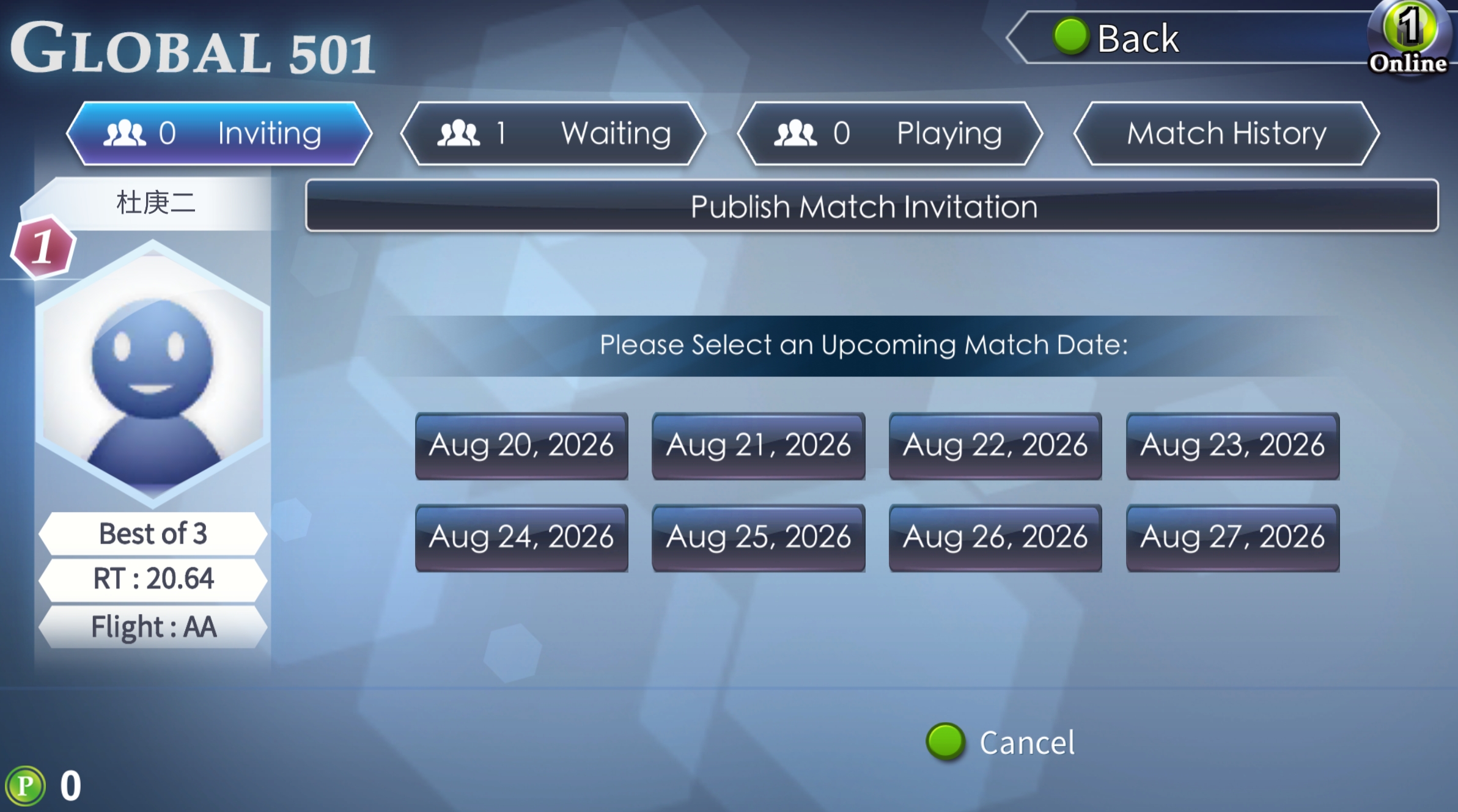
FidoDarts GLOBALMATCH announcement time selection screen
Post an announcementPublish an online match announcement.

AI match

Play against the AI

If no other players are currently in the lobby, you can play against the AI while you wait. Other FidoDarts players can still send you an online match invitation during the AI match. When an invitation arrives, you can end the AI match and return to online play immediately.
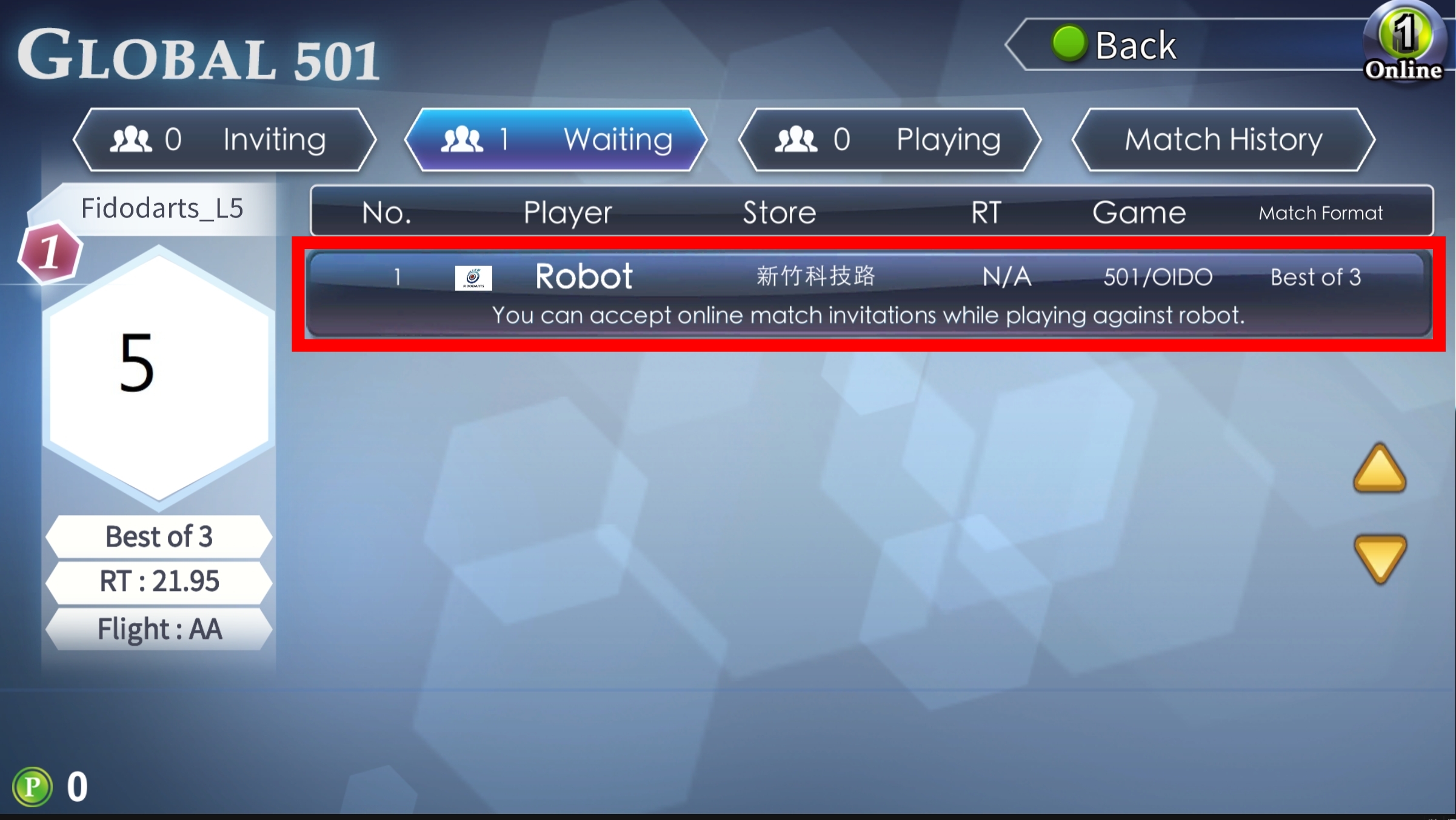
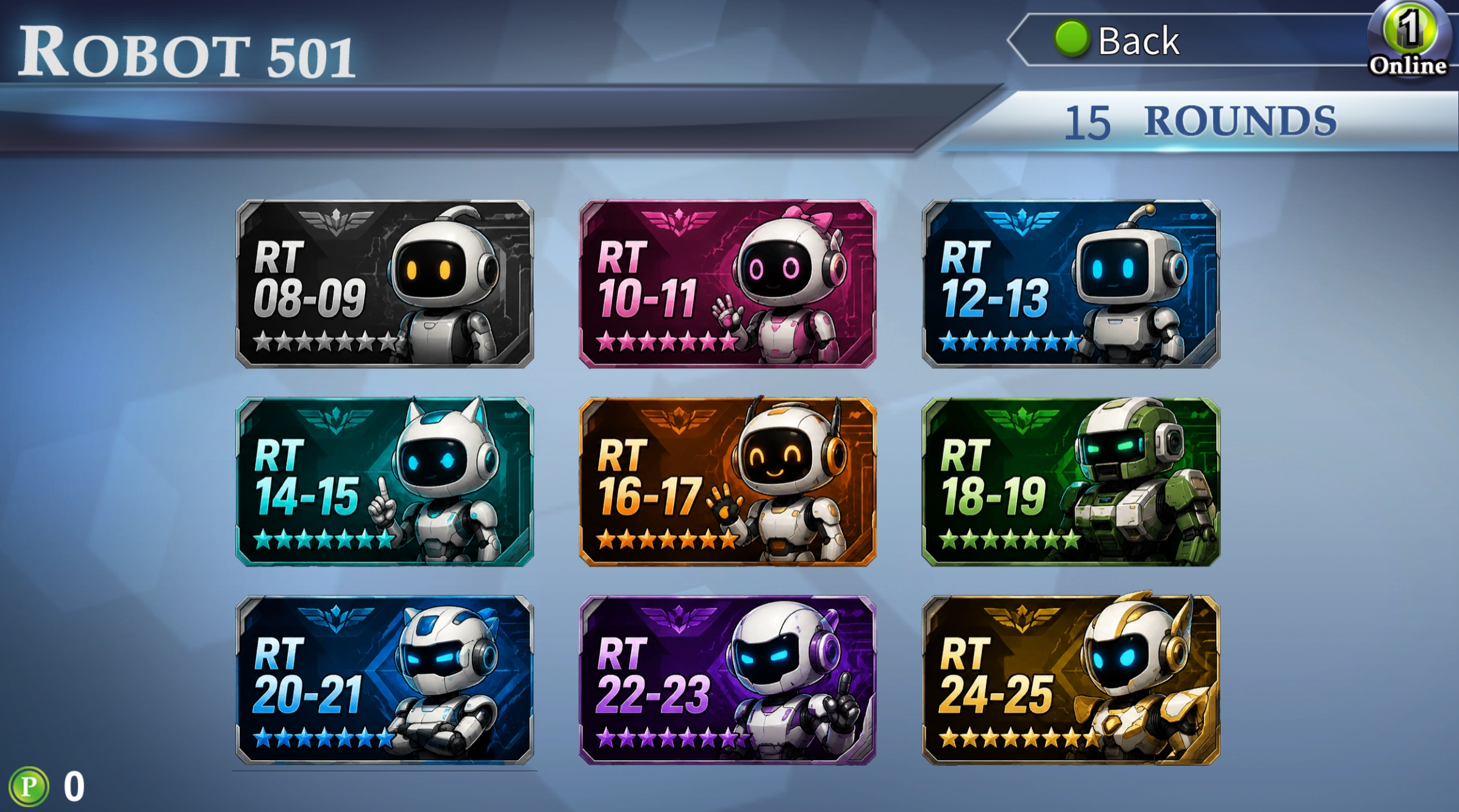
Highlighted AI match option in the FidoDarts GLOBALMATCH lobby
Start an AI matchSelect the highlighted option in the lobby to start playing against the AI.
FidoDarts screen for choosing the AI difficulty level
Choose the AI levelSelect the AI difficulty level before starting the match.
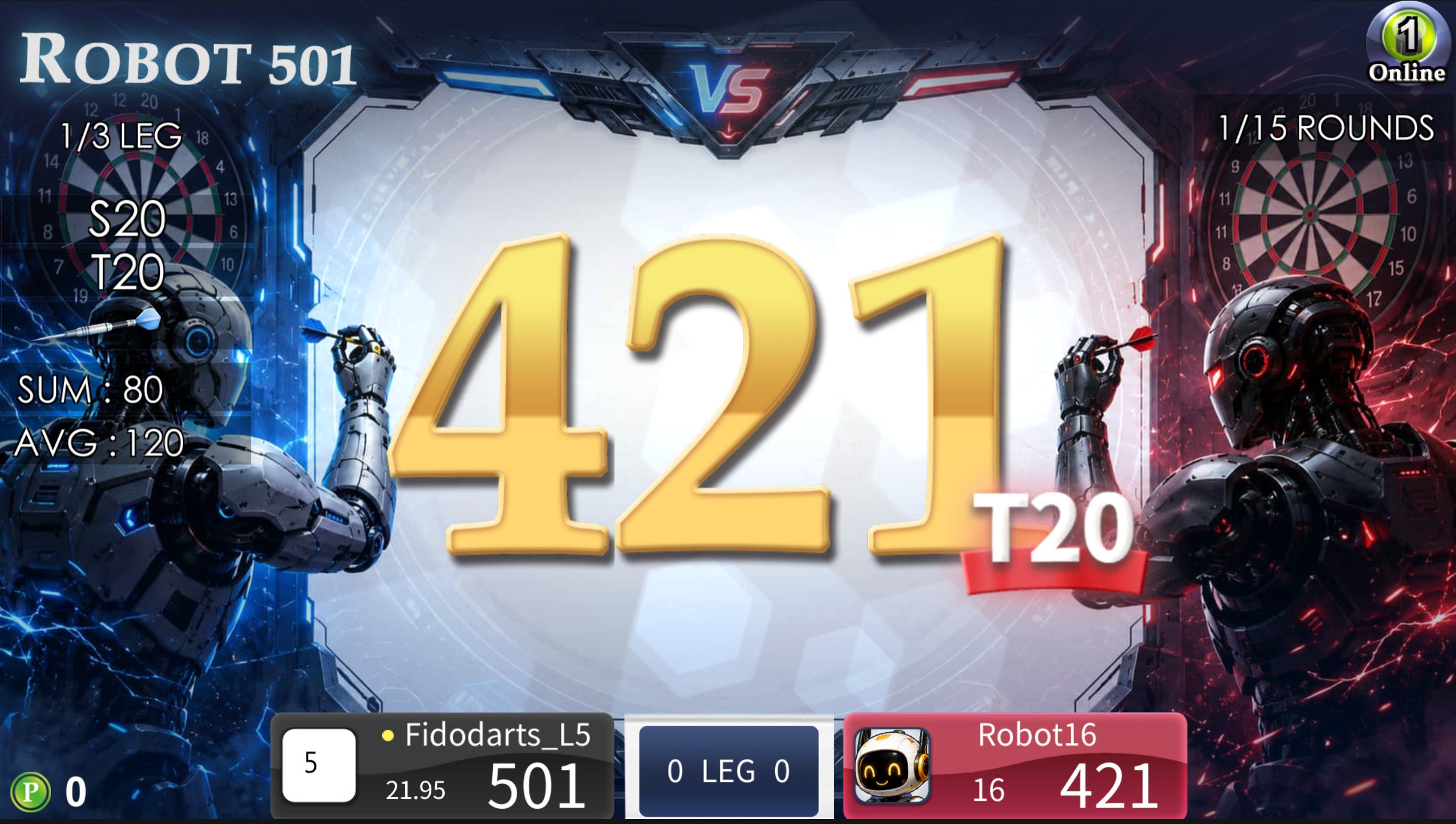
FidoDarts match in progress against the AI
Play against the AIStart the darts match against the AI at the selected difficulty level.

High-score events for qualifiers and prize competitions

EVENT COUNTUP

FidoDarts or local distributors can launch an Event CountUp. Organizers can use Qualifying mode for professional competition or Prize Competition mode to attract participation at events and busy public locations.

Organizers
FidoDarts or local distributors
Event modes
Qualifying and Prize Competition
Qualifying access
FidoDarts App account usually required
Prize access
Guest play without an account
Open the Event CountUp websitecountup.fidodarts.com
FidoDarts Event CountUp qualifying game screen
FidoDarts Event CountUp records and ranks high-score attempts.
Event CountUp overview

Use high scores for qualification or visitor prizes

Qualifying mode ranks players for professional tournament advancement. Prize Competition mode turns high-score attempts into an easy-to-join activity for events, exhibitions, booths and busy commercial areas.

Two event modes

Choose a professional qualifier or a public prize event

Each mode uses Event CountUp scoring for a different event purpose.

QUALIFYING

Qualifying mode

Use Event CountUp as a qualifier for a professional tournament. Players usually need a FidoDarts App account to participate.

PRIZE COMPETITION

Prize Competition mode

Run a high-score prize activity at an event, exhibition, booth or busy commercial area. Visitors can compete as guests without an account.

Qualifying mode

High-score qualification with recorded play

Professional events commonly use Event CountUp as a tournament qualifier. Players usually register a FidoDarts App account before taking part.
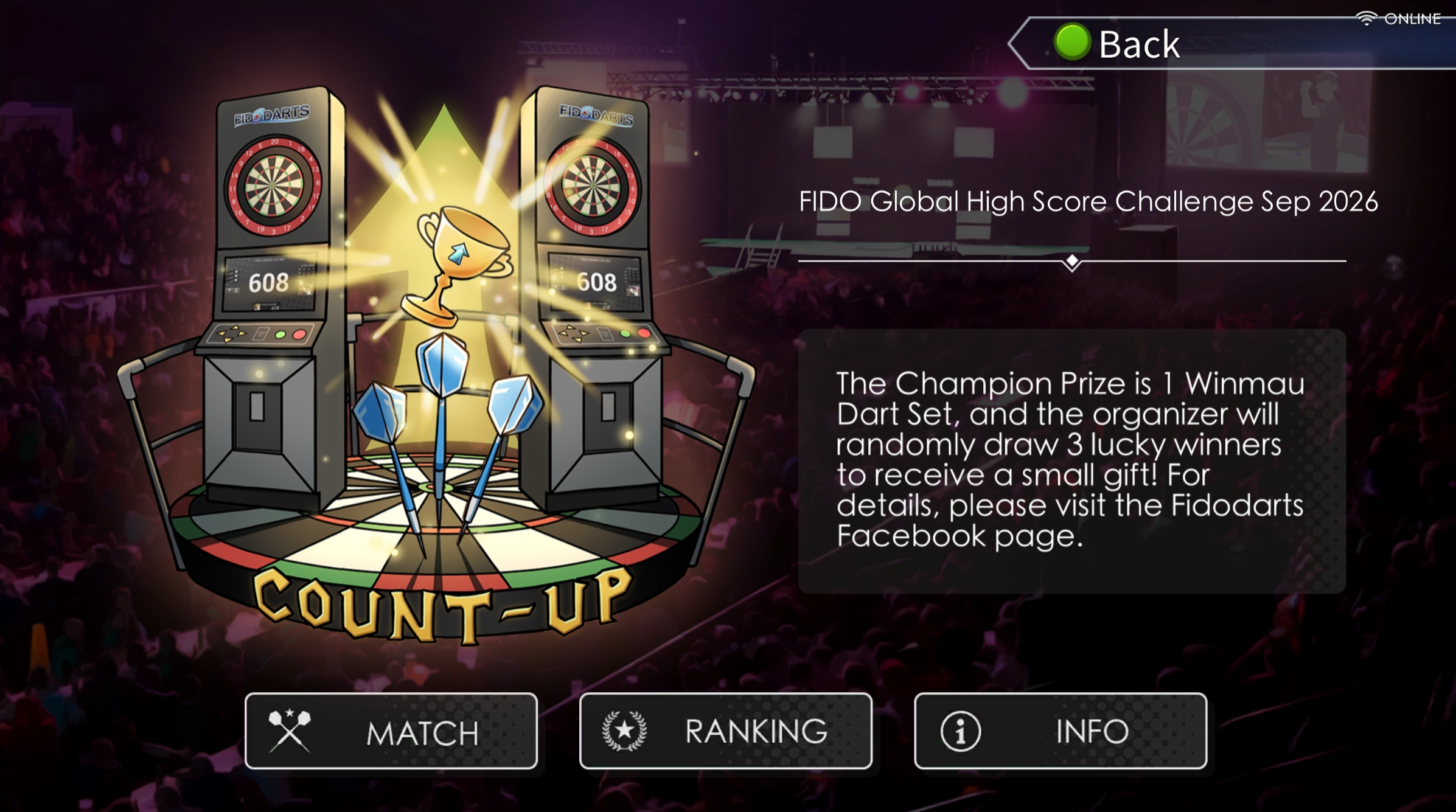
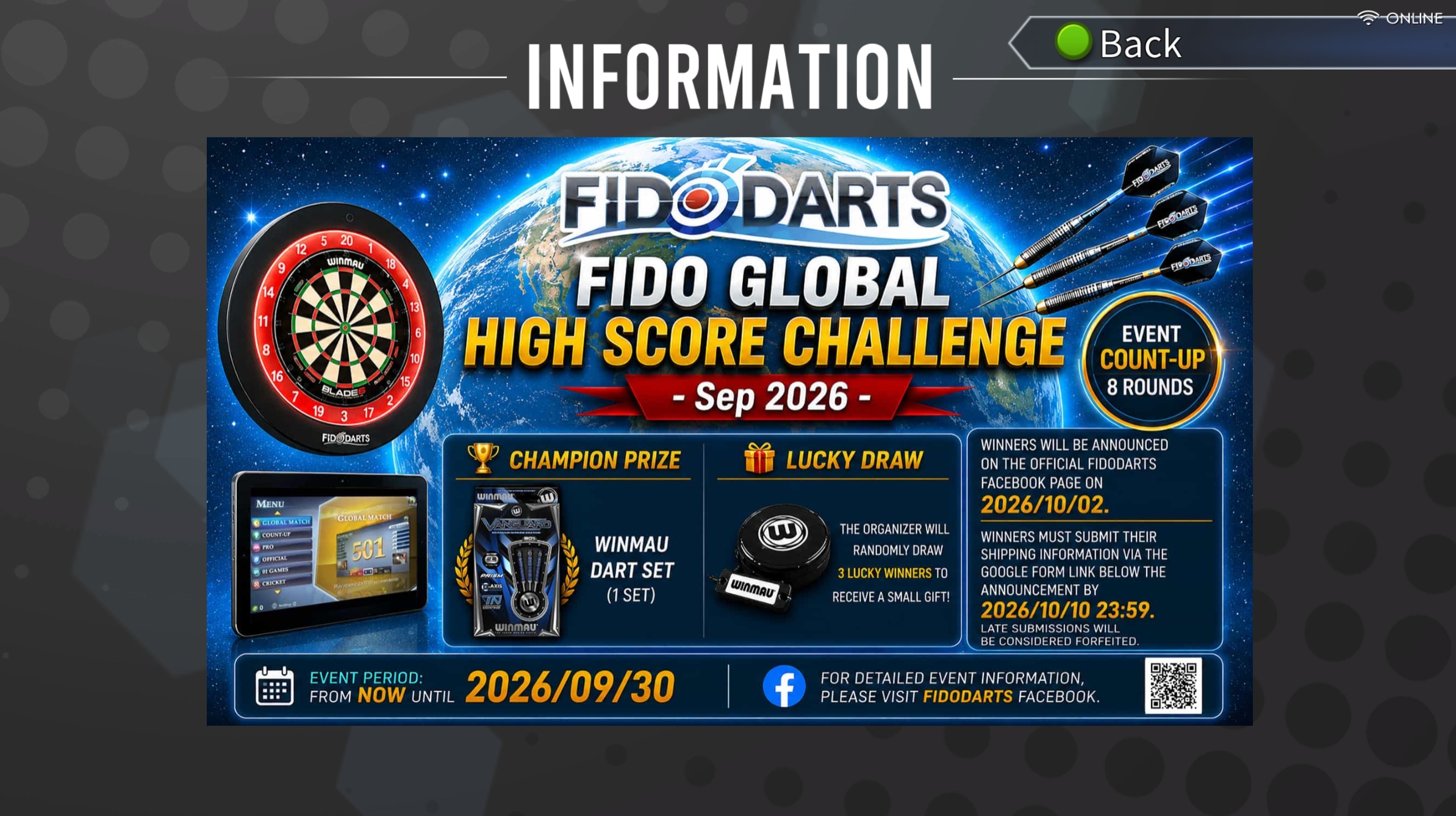
FidoDarts Event CountUp qualifying lobby
Qualifying lobbyEnter the qualifier and access its event information.
FidoDarts Event CountUp qualifying information screen
Event informationReview the information provided for the qualifier.
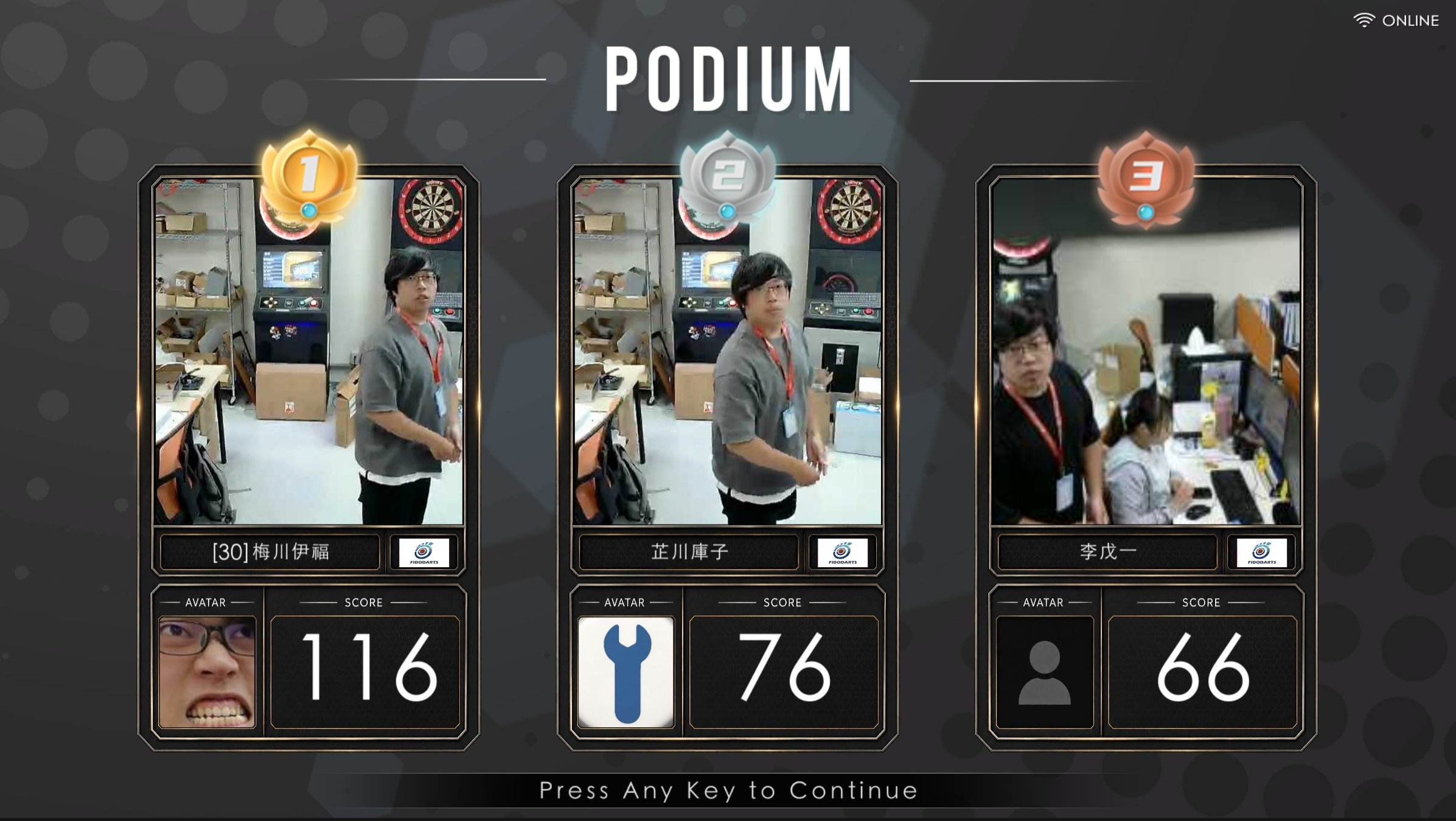
FidoDarts Event CountUp podium showing images for the top three players and a cheating indicator
Top-three player images and cheating indicatorImages are shown for the top three players. This example also shows an image that meets the criteria for a cheating indicator.

Prize Competition mode

Turn high scores into an easy-to-join prize activity

This mode is suitable for events, exhibitions, vendor booths and busy commercial areas where a high-score prize game can attract visitors. Players can compete as guests without an account.
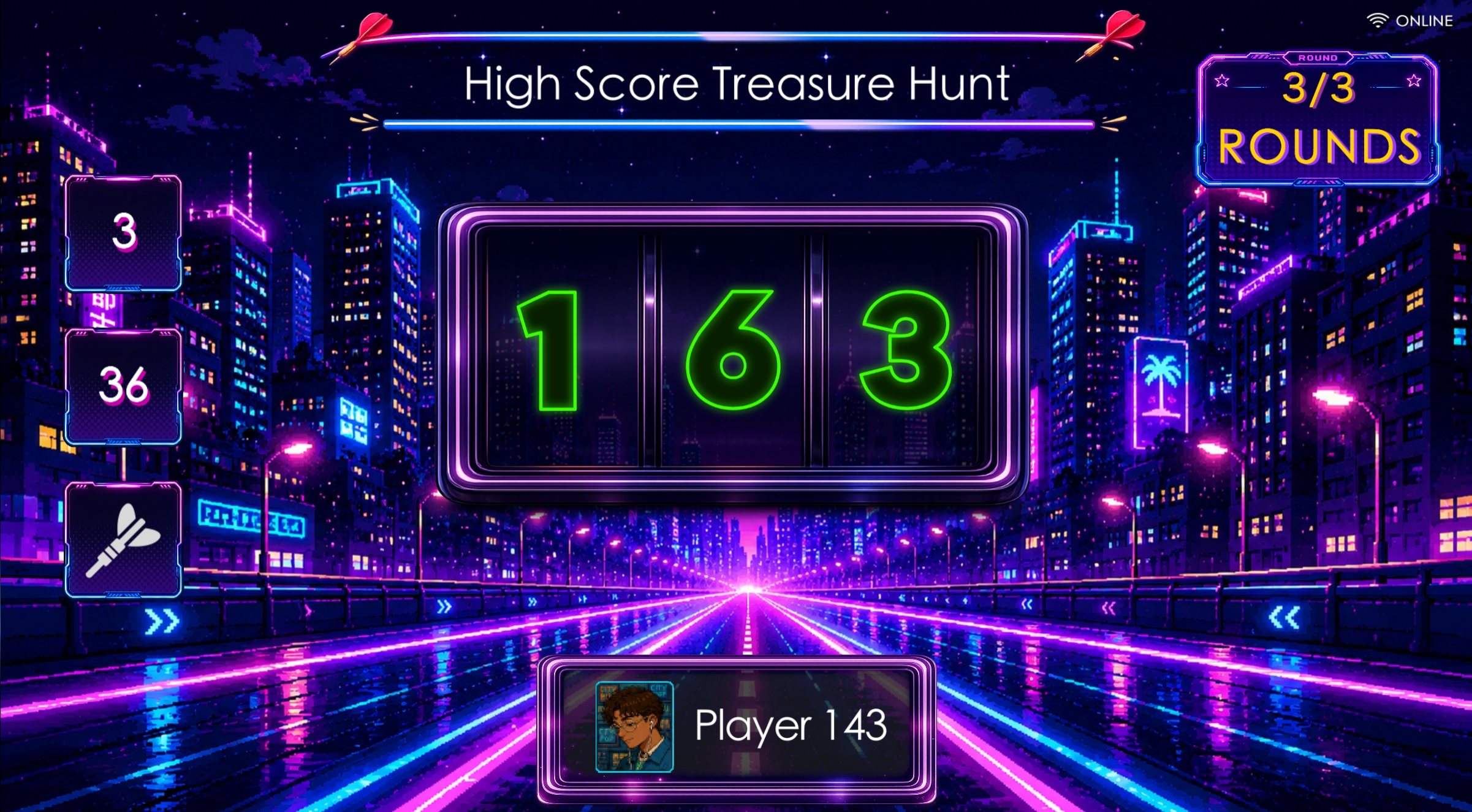

FidoDarts Event CountUp Prize Competition game screen
Prize Competition gamePlay Event CountUp for the event prize activity.
FidoDarts Event CountUp Prize Competition home screen with prize preview
Prize event homePreview the prizes available at the event.
FidoDarts Event CountUp Prize Competition prize list
Prize listView the prizes prepared by the organizer.
FidoDarts Event CountUp Prize Competition result screen
Attempt resultReview the score and result after play.
FidoDarts Event CountUp Prize Competition ranking
Event rankingView the current high-score ranking.

FidoDarts App

Event information in the player's hand

Players can use the FidoDarts App to review competition information, rankings and the list of participating stores.
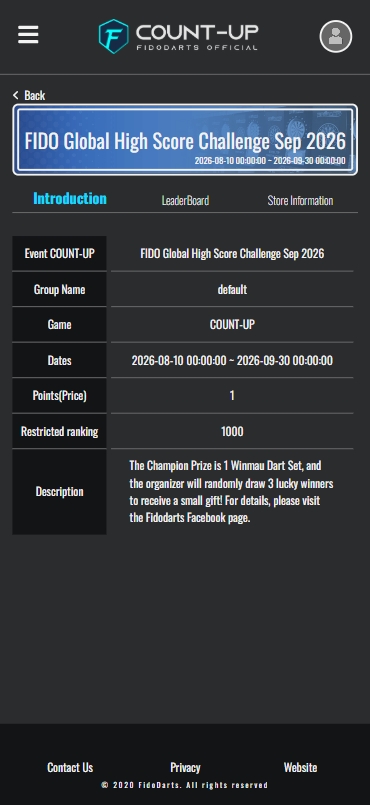

FidoDarts App Event CountUp competition information
Competition informationReview the published Event CountUp information.
FidoDarts App Event CountUp ranking
RankingFollow the current Event CountUp standings.
FidoDarts App Event CountUp participating store list
Participating storesFind stores where the event is available.

For local distributors

Create Event CountUp competitions as a distributor

FidoDarts distributors can publish Event CountUp competitions through the provided backend.
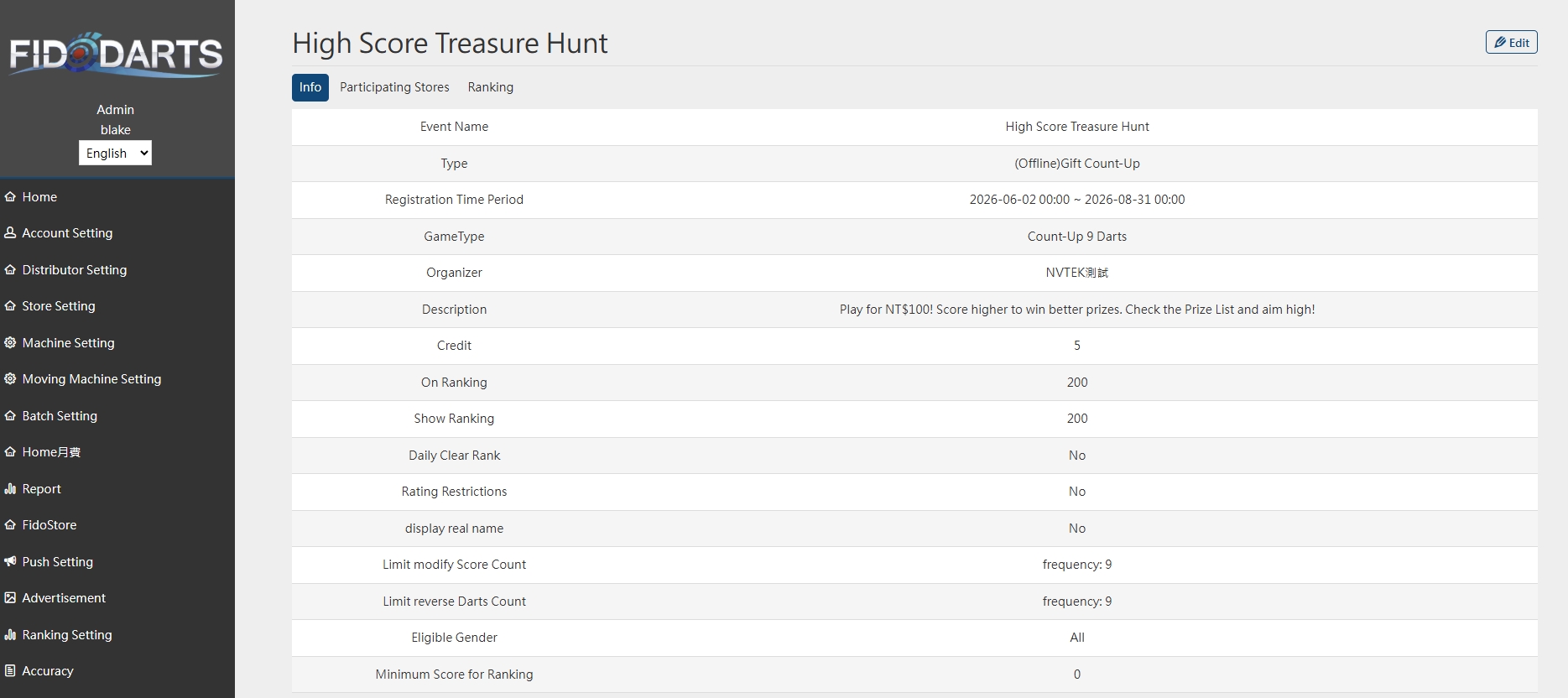
FidoDarts backend used to create an Event CountUp
Create the competitionSet up and publish an Event CountUp in the backend.
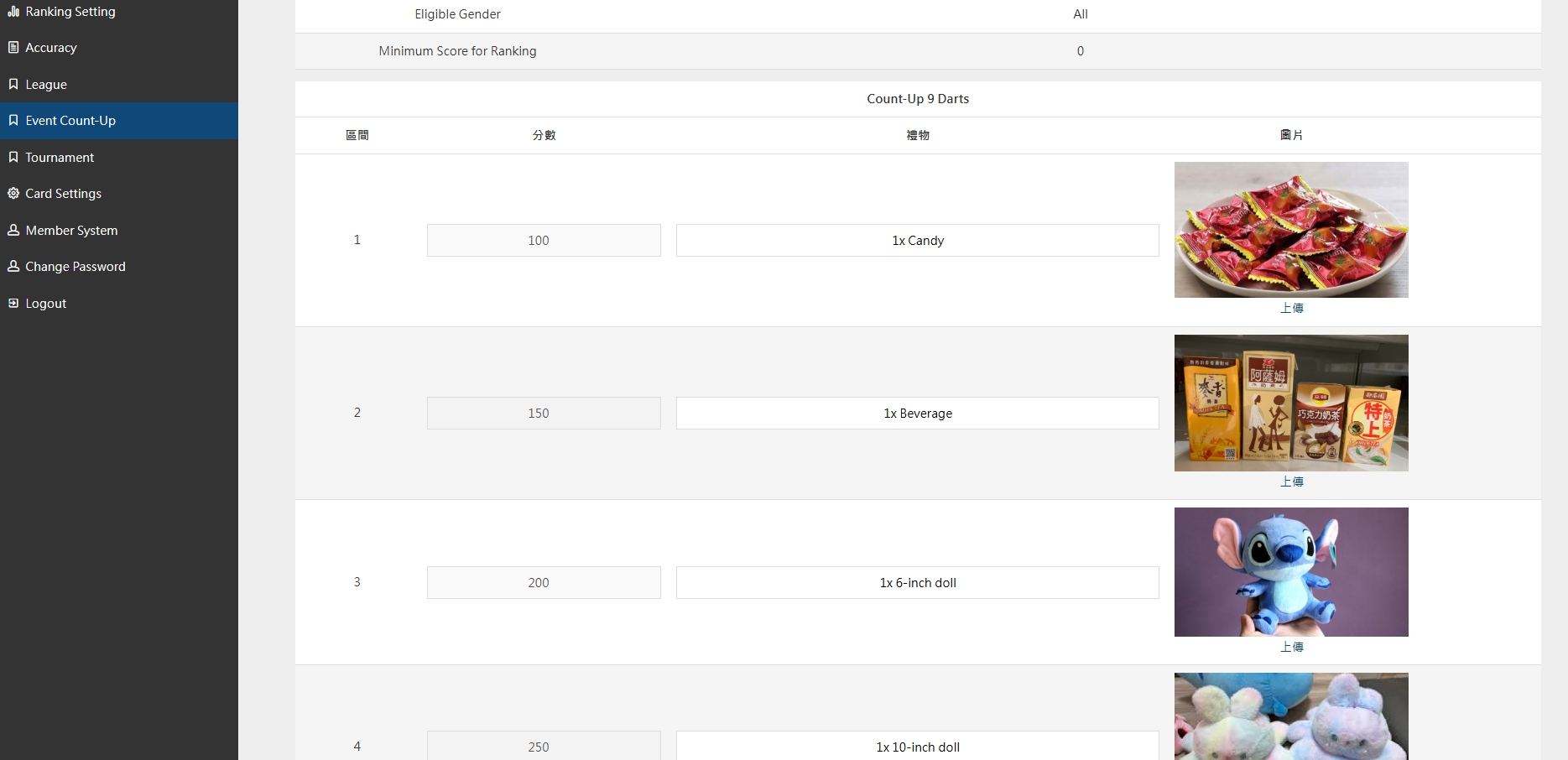
FidoDarts backend Prize Competition gift information and image settings
Configure prize informationUpload gift information and images for Prize Competition mode.
  • Create and publish an Event CountUp from the FidoDarts backend.
  • Configure Prize Competition gift information and upload prize images.

Recurring competition for connected players

LEAGUE

FidoDarts and local distributors organize leagues on a recurring basis. Players need a FidoDarts App account to participate, then can follow league information through the league website and the App.

Organizers
FidoDarts or local distributors
Player account
FidoDarts App account required
Player access
League website and App
Live coverage
FidoLive system
Open the league websiteleague.fidodarts.com
FidoDarts LEAGUE screen
The FidoDarts LEAGUE interface connects players with an organized competition.
League overview

Keep every stage of the league connected

Players can enter an organized league, check schedules and results, review performance and rankings, and follow available live coverage from the same FidoDarts ecosystem.

Rule visuals

Follow the league from schedule to ranking

The league interface presents the competition lobby, upcoming schedule and current ranking in clearly separated views.
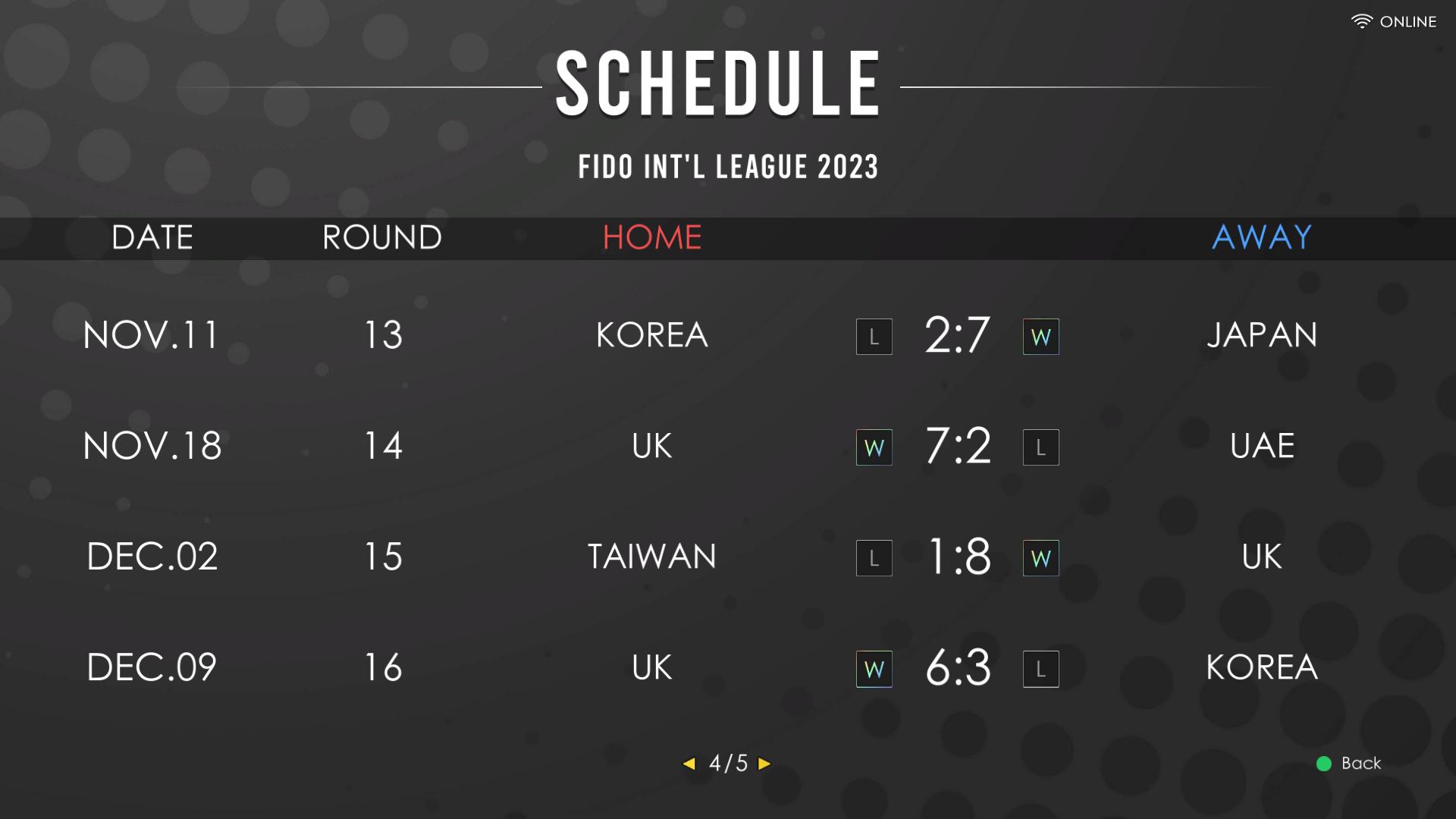
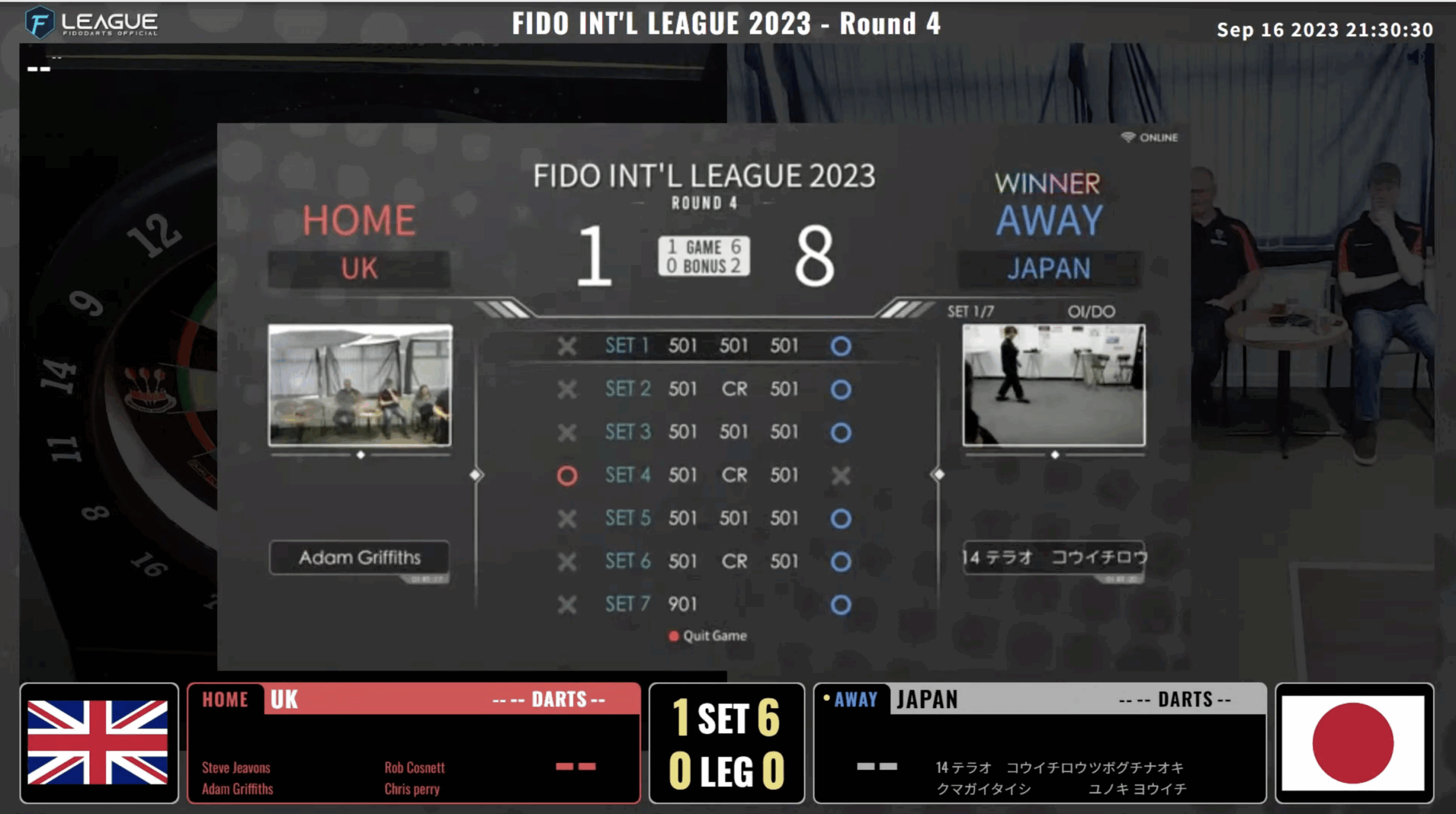
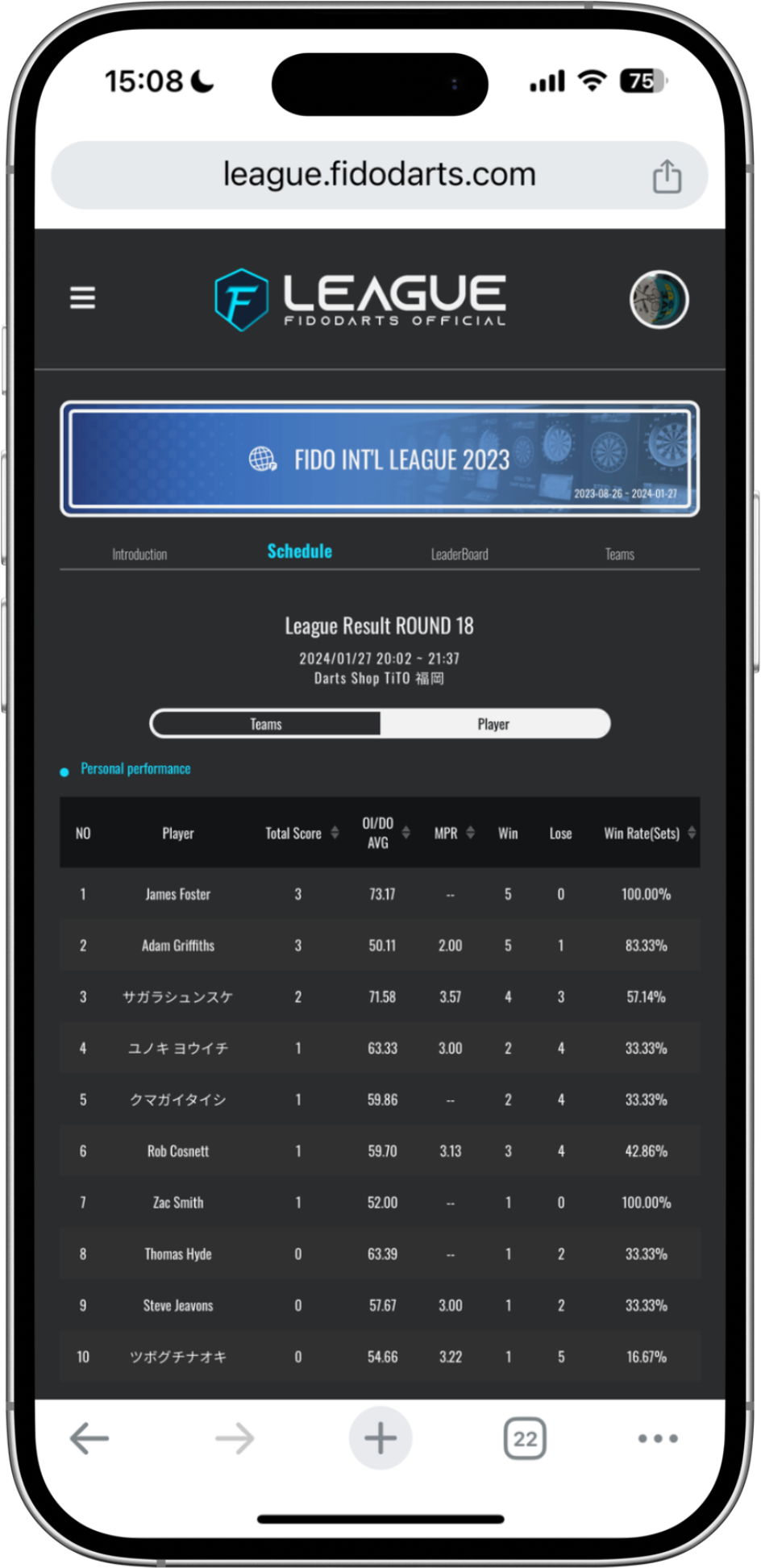
FidoDarts LEAGUE schedule screen
League scheduleCheck the arranged matches and when they take place.
FidoDarts LEAGUE lobby screen
League lobbyOpen the league entry point and access its competition information.
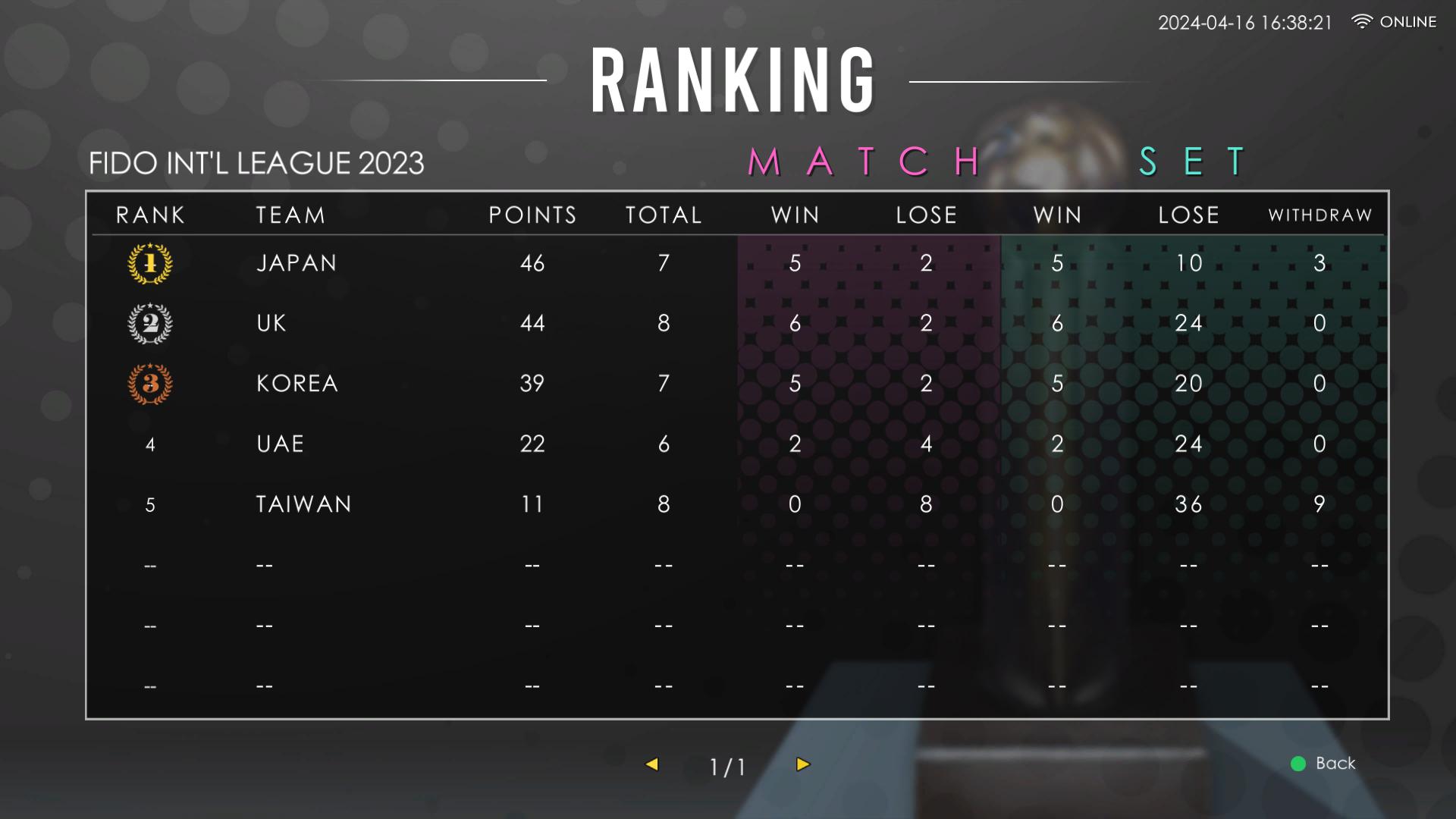
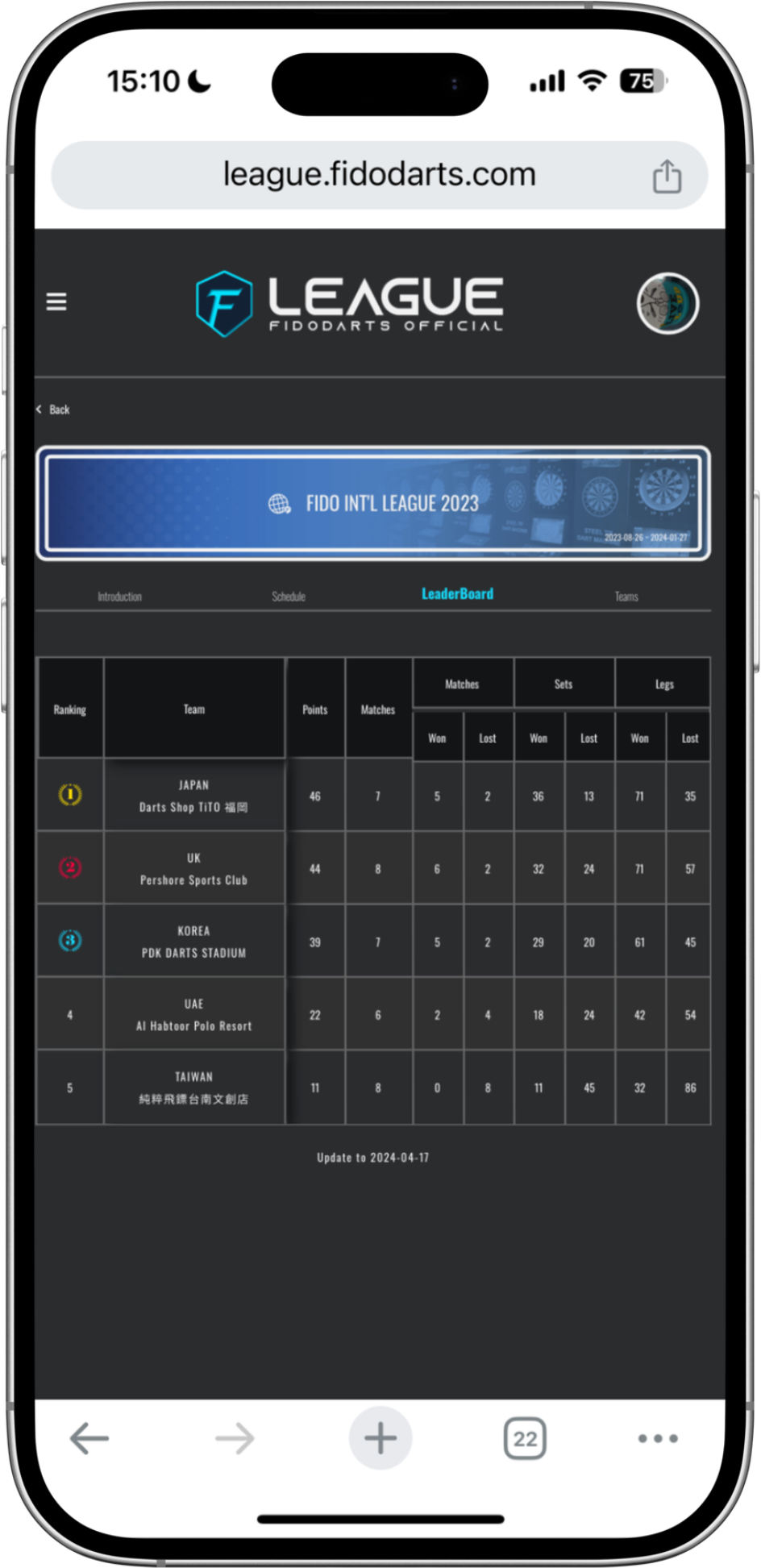
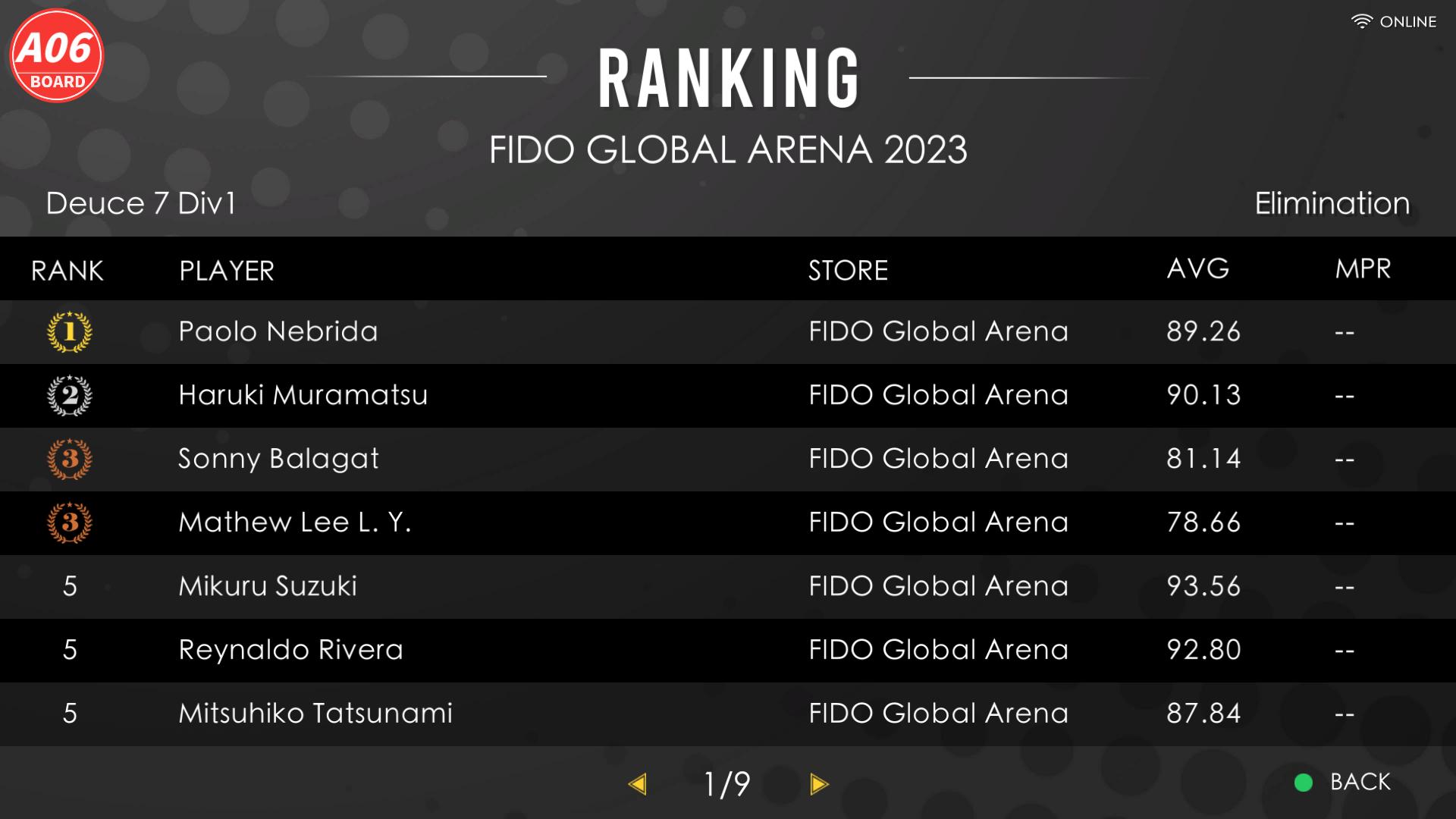
FidoDarts LEAGUE ranking screen
League rankingReview the current standings as the league progresses.

League formats

Local play or remote online competition

Choose the league format that matches how players will compete.

LOCAL LEAGUE

Local league

Players compete on the same dart machine.

ONLINE LEAGUE

Online league

Players compete through a remote network connection.

League features

A fair competition system

League organizers decide whether to enable either feature.

SANDBAGGING

Rating-based sandbagging check

Sandbagging checks help prevent entrants from concealing their true playing strength. The competition system can determine sandbagging by comparing the Rating recorded for the current match with the average Rating from the most recent 30 matches. If the winning team is judged to have sandbagged, the opponent is declared the winner. The organizer decides whether to enable this feature.

HANDICAP

Automatic level or point adjustment

Handicap adjustments help prevent one-sided matches caused by a large difference in playing strength. The competition system can automatically adjust the level or points according to the Rating difference between both sides. The organizer decides whether to enable this feature.

Competition continuity

DATA RECOVERY SYSTEM

The FidoDarts league system provides data recovery for unexpected network or power interruptions.

FidoDarts App

League information in the player's hand

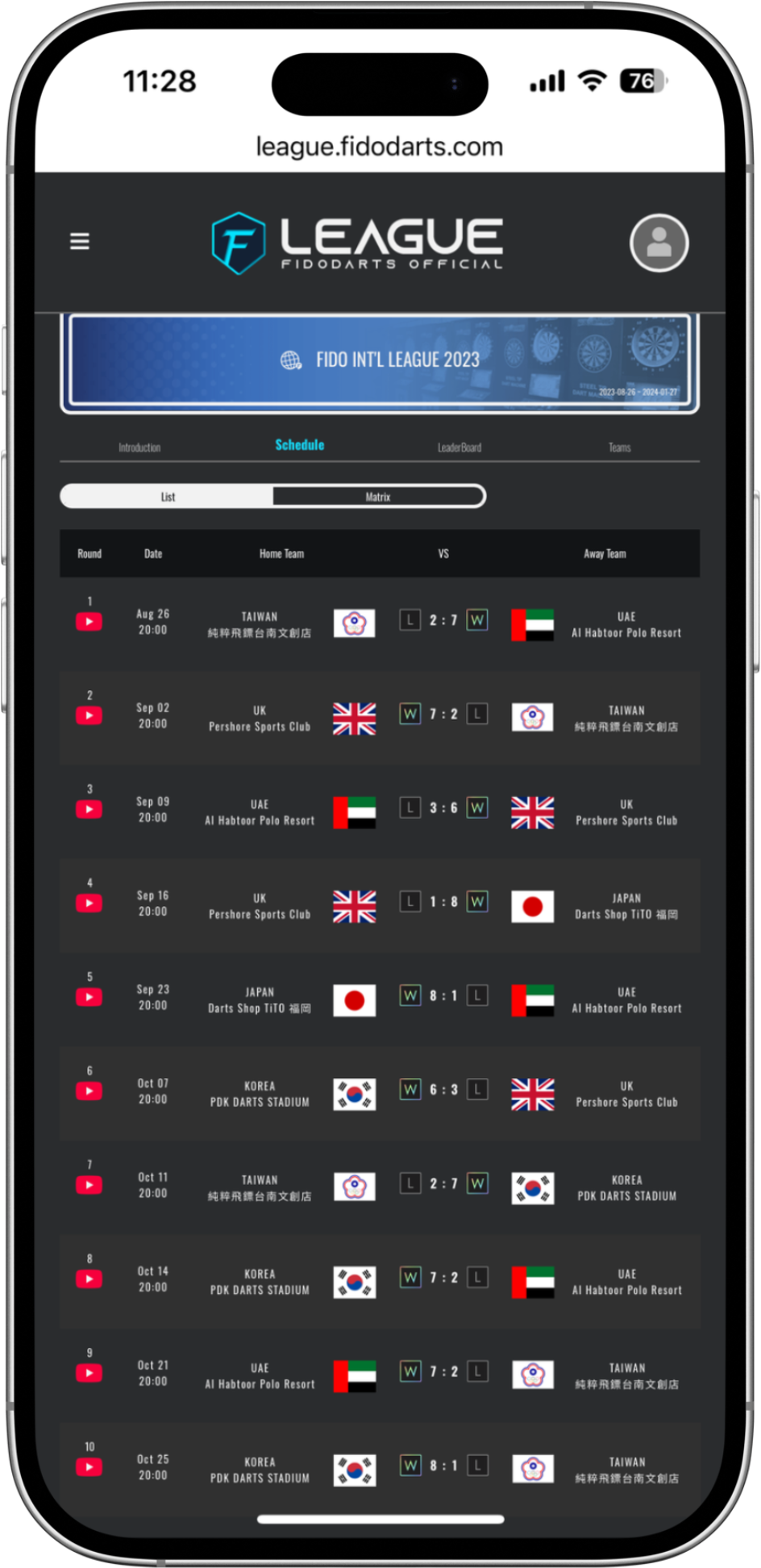
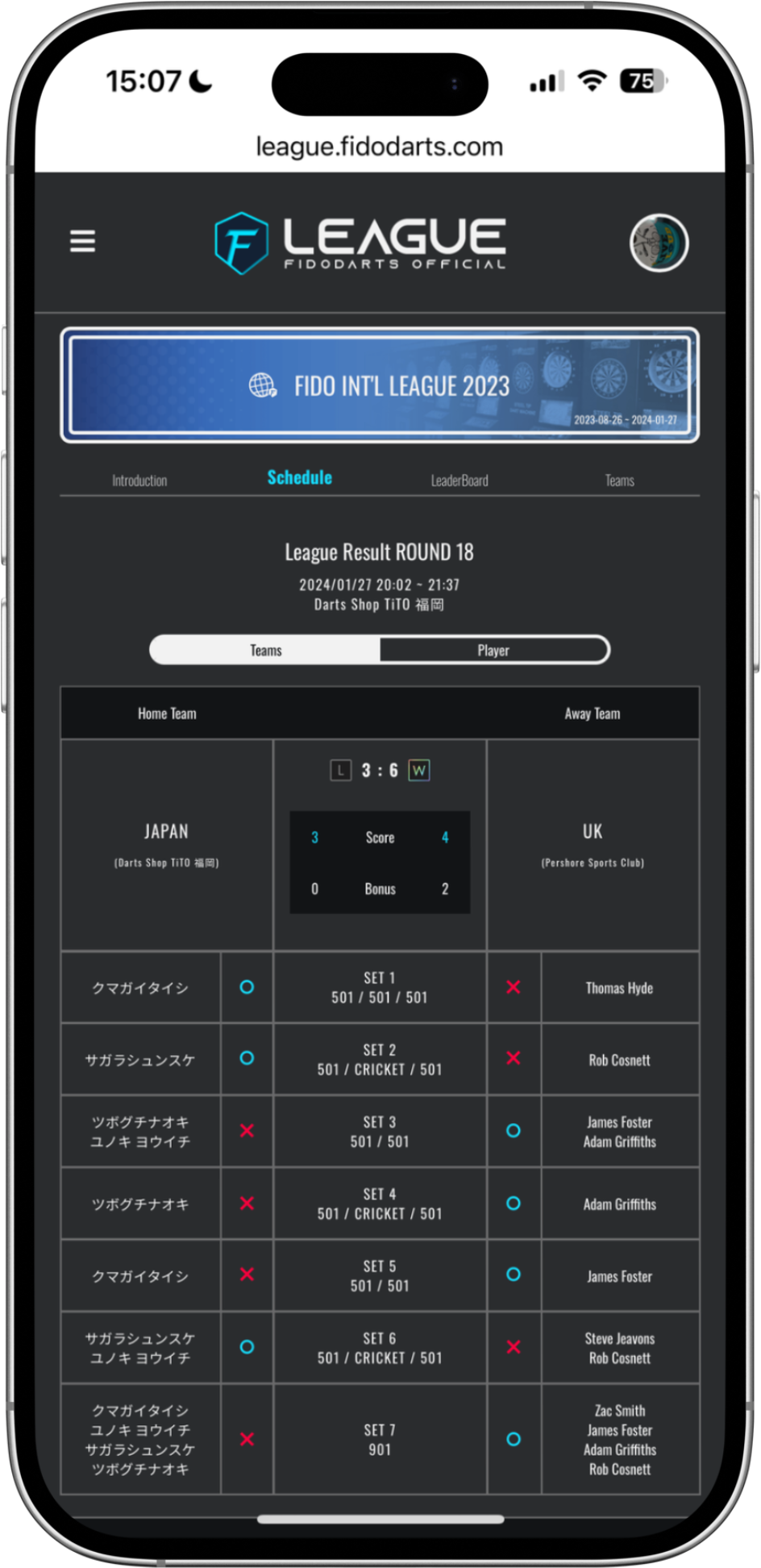
The FidoDarts App lets players check the league schedule, game results, performance data and team ranking.
FidoDarts App league schedule
ScheduleCheck upcoming league matches.
FidoDarts App league game result
Game resultReview the result of a completed match.
FidoDarts App league performance data
PerformanceReview the recorded match performance.
FidoDarts App league team ranking
Team rankingFollow the current team standings.

FidoLive

Broadcast the dart machine screen during competition

FidoDarts provides the FidoLive system so organizers can stream the dart machine screen while league matches are being played.

For local distributors

Create leagues as a distributor

FidoDarts distributors can use the provided backend to publish LOCAL LEAGUE and ONLINE LEAGUE competitions. The player-facing league website, App information and FidoLive coverage form a connected competition experience.
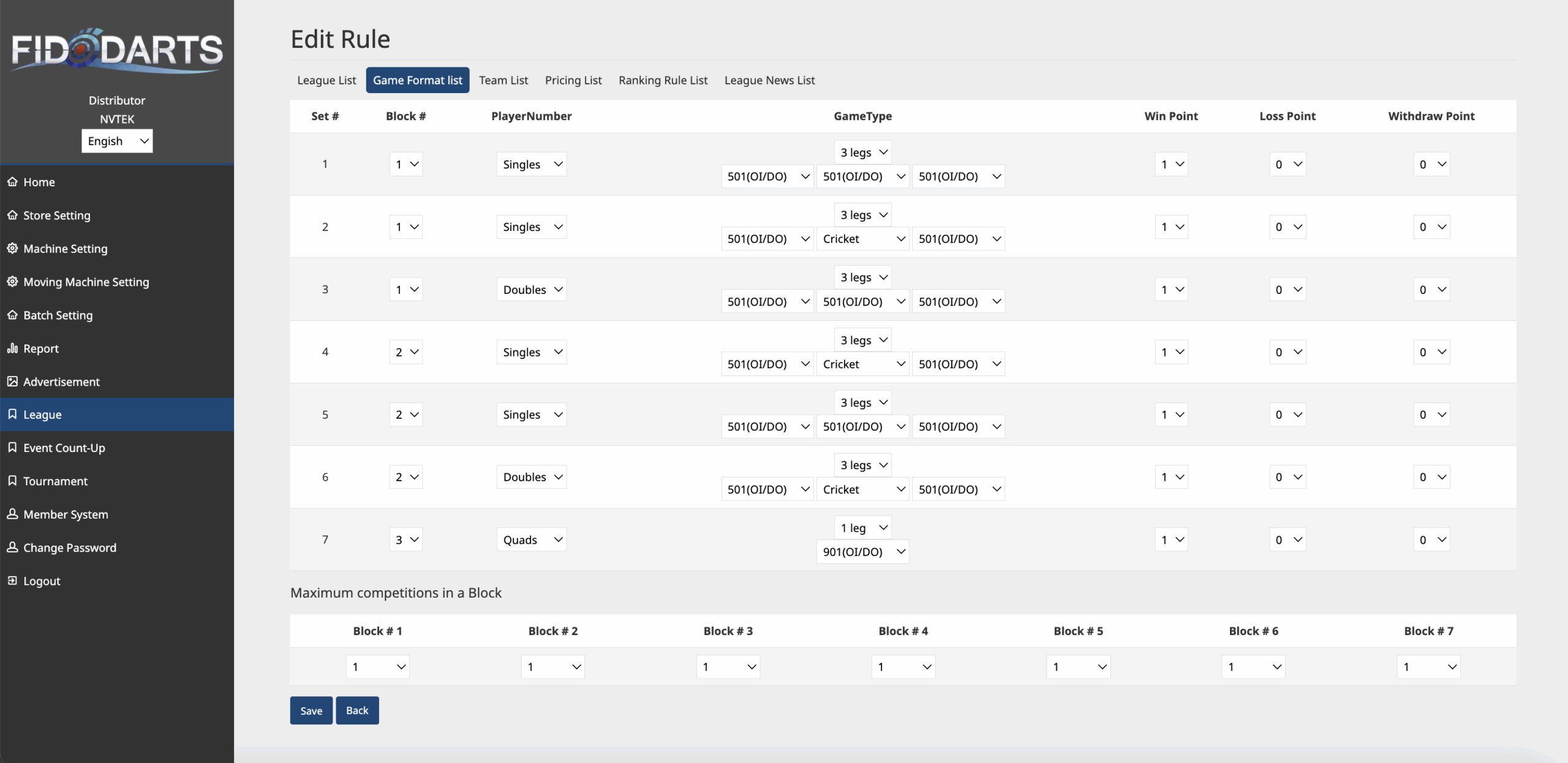
FidoDarts backend used to create and publish a league
  • Publish LOCAL LEAGUE and ONLINE LEAGUE competitions from the FidoDarts backend.
  • Let registered players follow schedules, results, performance and rankings.
  • Use FidoLive to stream the dart machine screen during matches.

League example

2024 FIDO Asian League

The 2024 FIDO Asian League materials show the event identity, final bracket and live match coverage in actual use.

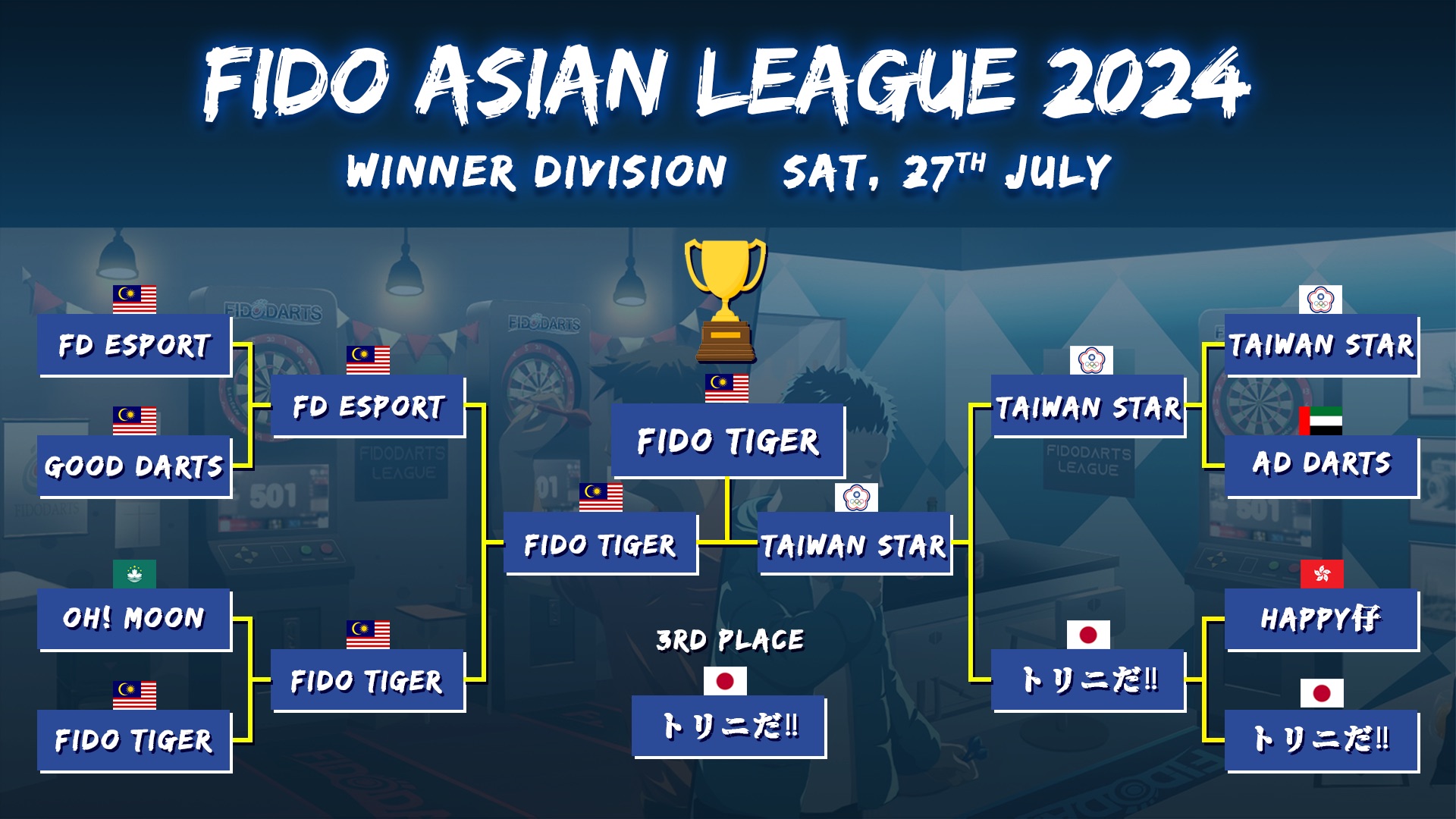
2024 FIDO Asian League poster
Event identity2024 FIDO Asian League event visual.
2024 FIDO Asian League Winner Division final bracket
Final bracketWinner Division final bracket from the 2024 league.
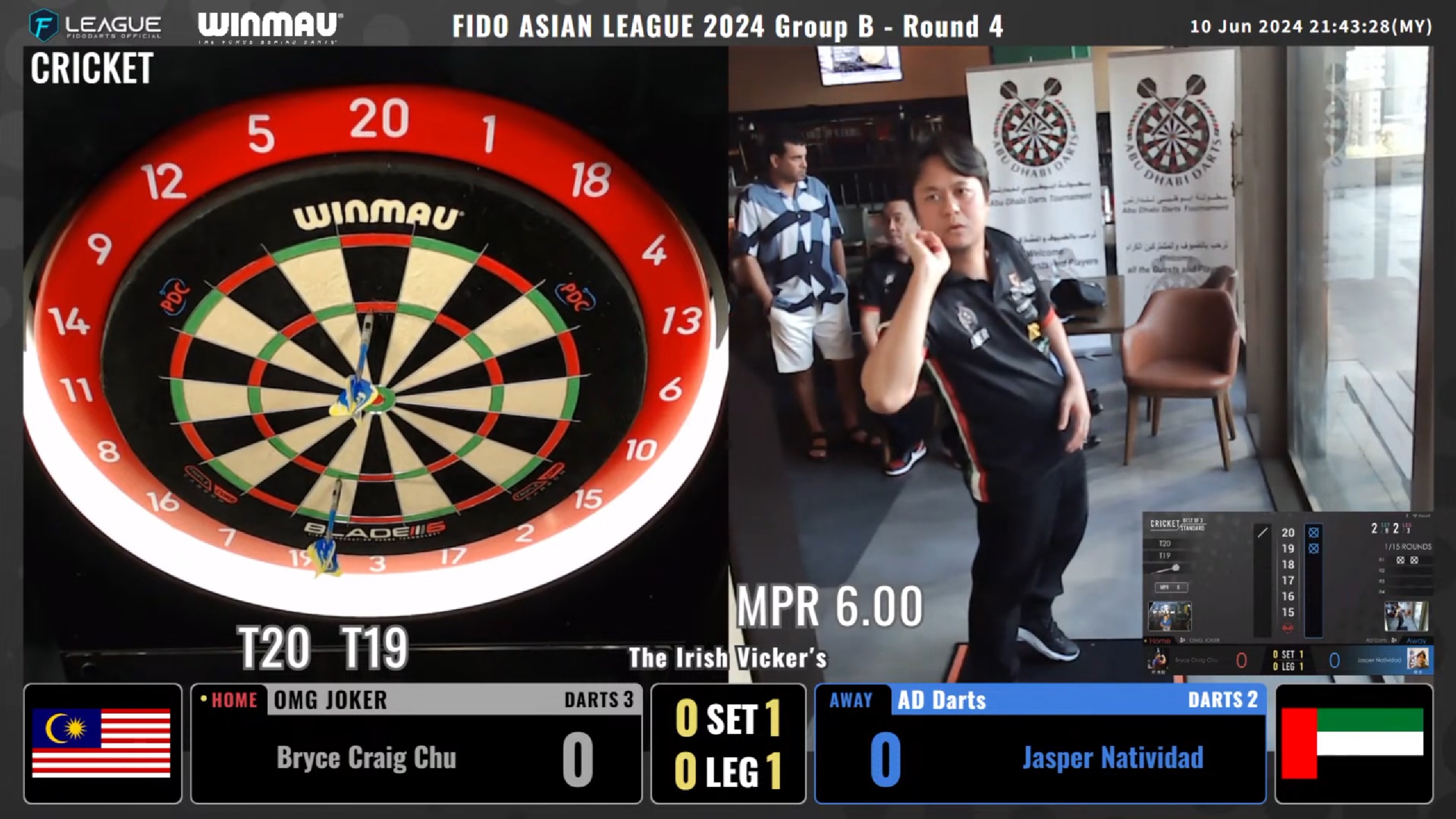
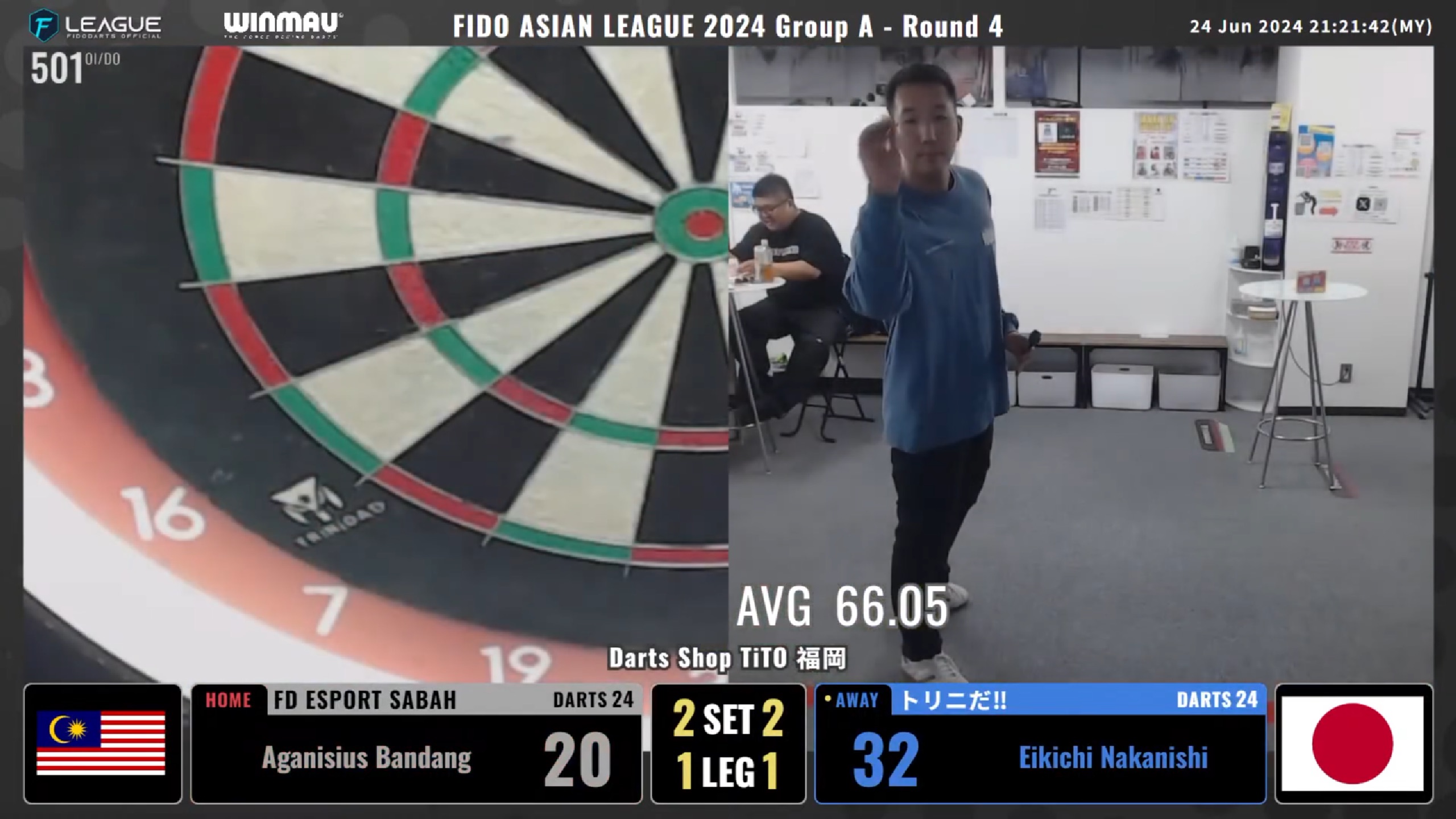
2024 FIDO Asian League live match broadcast
Live match coverageFidoLive presentation from a 2024 league match.
2024 FIDO Asian League competition livestream
Competition broadcastAnother live presentation from the league.

Bracket competition for local and online play

TOURNAMENT

FidoDarts and local distributors organize tournaments on a recurring basis. Players need a FidoDarts App account to participate and can follow tournament information through the tournament website and the App.
Organizers
FidoDarts or local distributors
Player account
FidoDarts App account required
Tournament formats
Local and online
Player access
Tournament website and App
Open the tournament websitetournament.fidodarts.com
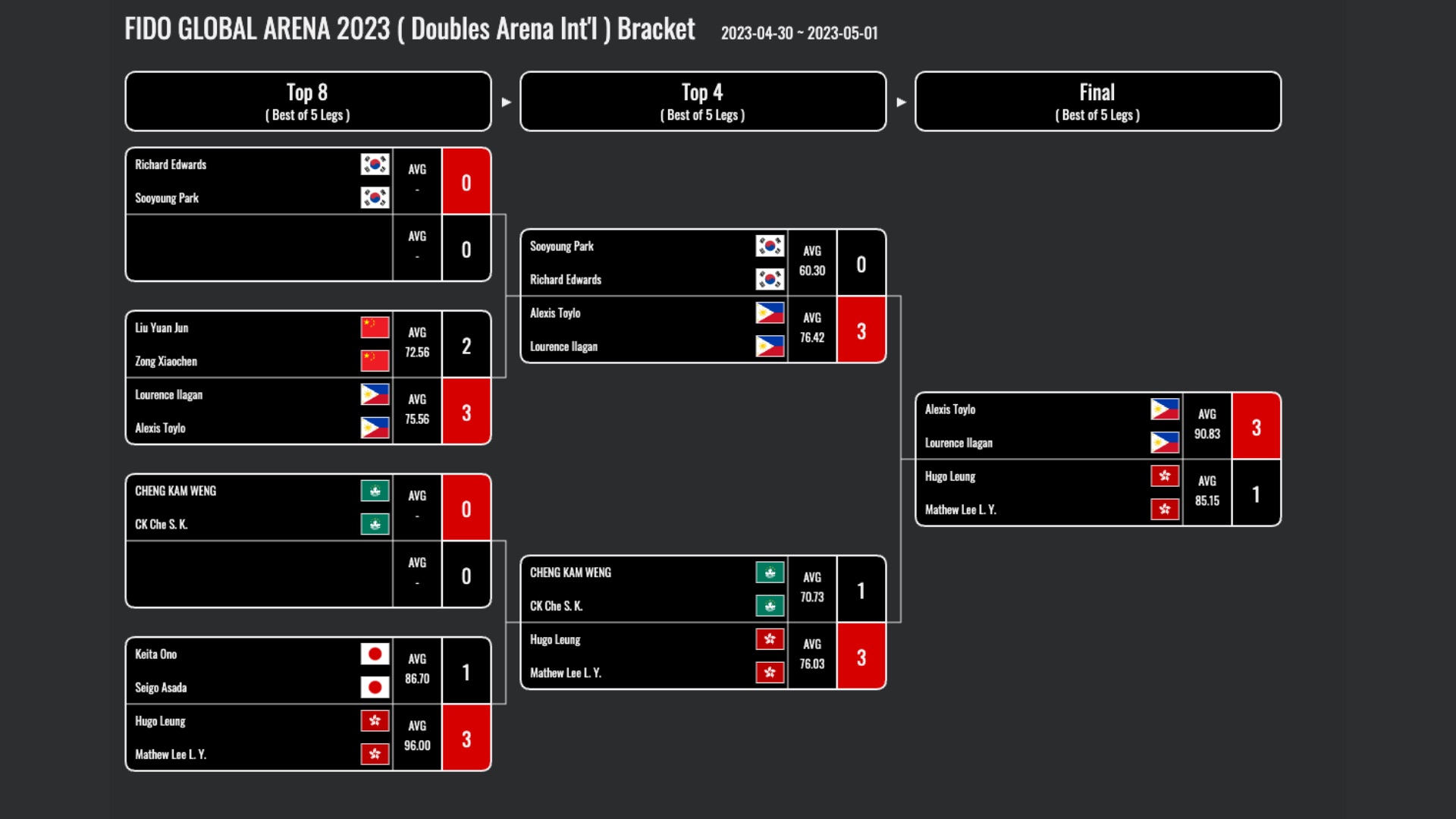
FidoDarts tournament bracket showing the competition structure
A FidoDarts tournament bracket presents each stage of the competition.
Tournament overview

Connect group play, advancement and the final bracket

Players can take part in an organized tournament, advance from the group stage into an automatically arranged bracket, and follow schedules, players, board numbers, results and available live coverage.

Rule visuals

Follow the tournament from lobby to ranking

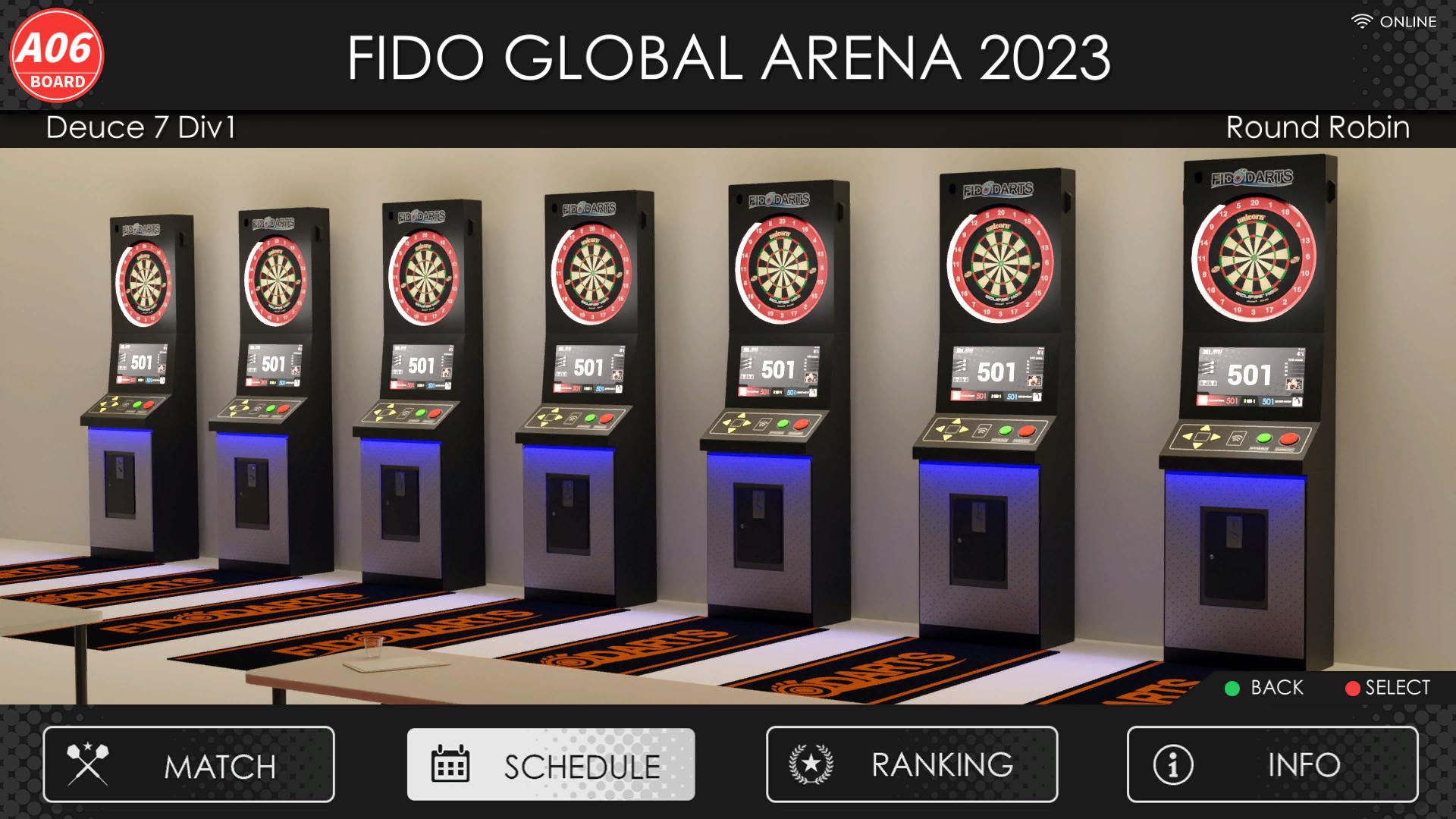
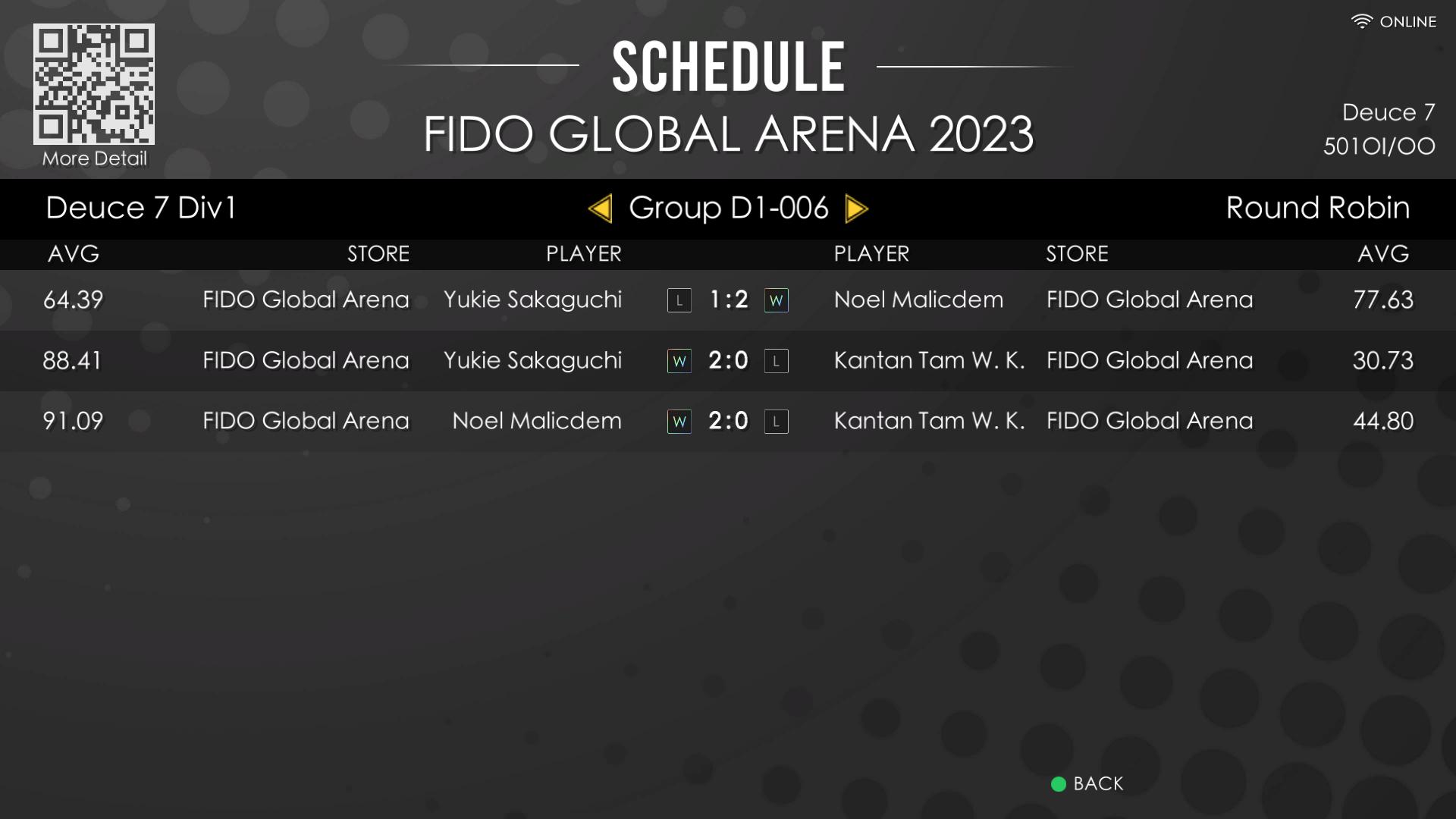
The tournament interface presents the event lobby, round-robin schedule and current ranking in separate views so players can quickly find the information they need.
FidoDarts tournament lobby screen
Tournament lobbyEnter the tournament and view its event information.
FidoDarts tournament round-robin schedule screen
Round-robin scheduleCheck the arranged group-stage matches and times.
FidoDarts tournament ranking screen
Tournament rankingReview the current standings as the tournament progresses.

Tournament formats

Local play or remote online competition

Choose the tournament format that matches how players will compete.

LOCAL TOURNAMENT

Local tournament

Players compete at the tournament venue.

ONLINE TOURNAMENT

Online tournament

Players compete through a remote network connection.

Tournament operation

Automated advancement and a real-time bracket

The tournament system keeps the competition structure current as matches progress.

AUTOMATION

Arrange the bracket after group play

After players advance from their groups, the tournament bracket can be arranged automatically.

REAL-TIME BRACKET

Follow current event information

Participants can view the updated schedule, bracket, players and board numbers during the darts event.

Tournament features

A fair competition system

Tournament organizers decide whether to enable either feature.

SANDBAGGING

Rating-based sandbagging check

Sandbagging checks help prevent entrants from concealing their true playing strength. The competition system can determine sandbagging by comparing the Rating recorded for the current match with the average Rating from the most recent 30 matches. If the winning team is judged to have sandbagged, the opponent is declared the winner. The organizer decides whether to enable this feature.

HANDICAP

Automatic level or point adjustment

Handicap adjustments help prevent one-sided matches caused by a large difference in playing strength. The competition system can automatically adjust the level or points according to the Rating difference between both sides. The organizer decides whether to enable this feature.

Competition continuity

DATA RECOVERY SYSTEM

The FidoDarts tournament system provides data recovery for unexpected network or power interruptions.

FidoDarts App

Tournament information in the player's hand

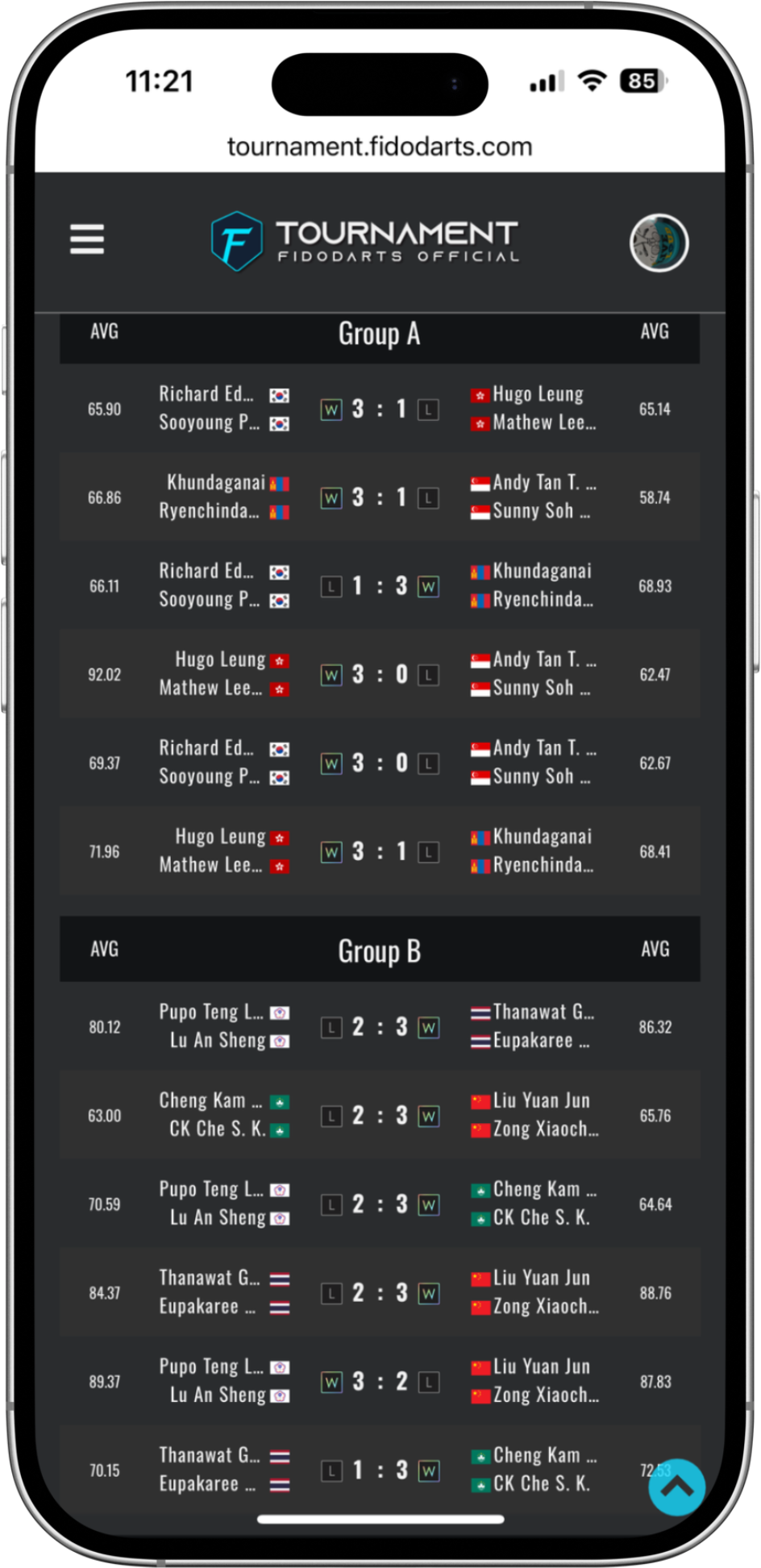
Players can use the FidoDarts App to check tournament schedules, match results, the real-time bracket and available live coverage.
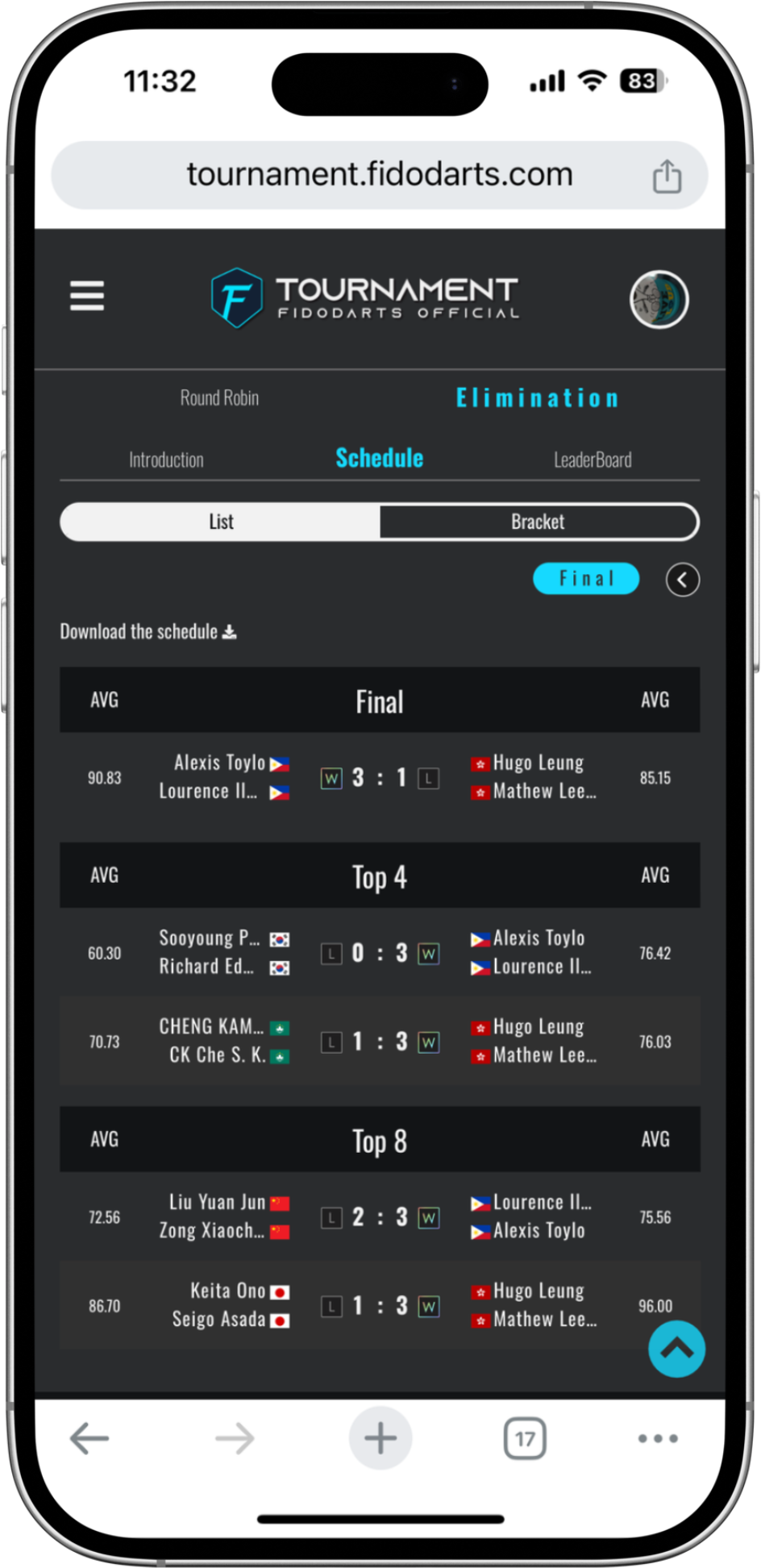
FidoDarts App tournament round-robin schedule
Round-robin scheduleCheck group-stage matches and arrangements.
FidoDarts App tournament elimination stage
Elimination stageFollow the tournament after players advance from group play.
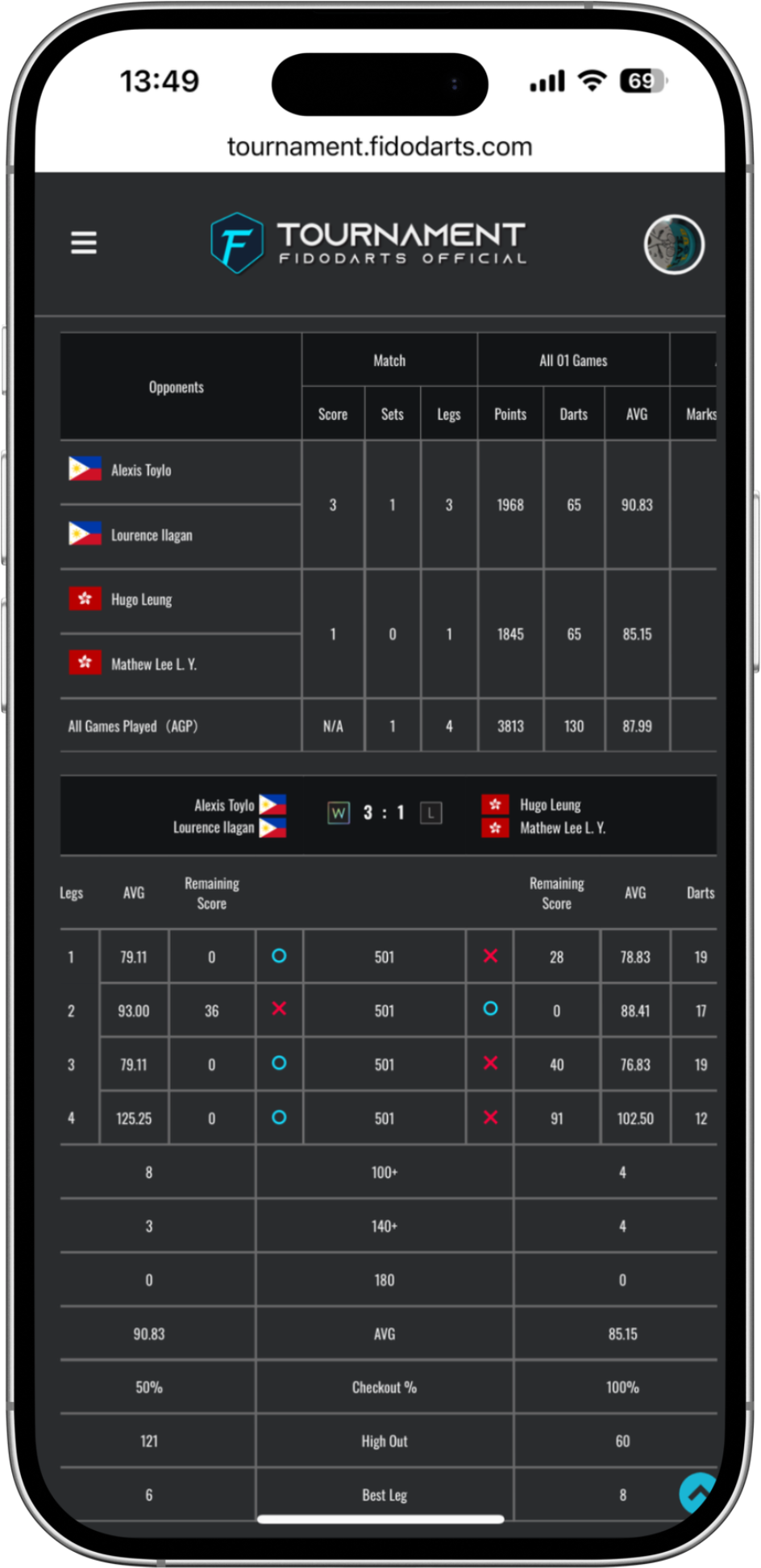
FidoDarts App tournament game result
Game resultReview the result of a completed tournament match.
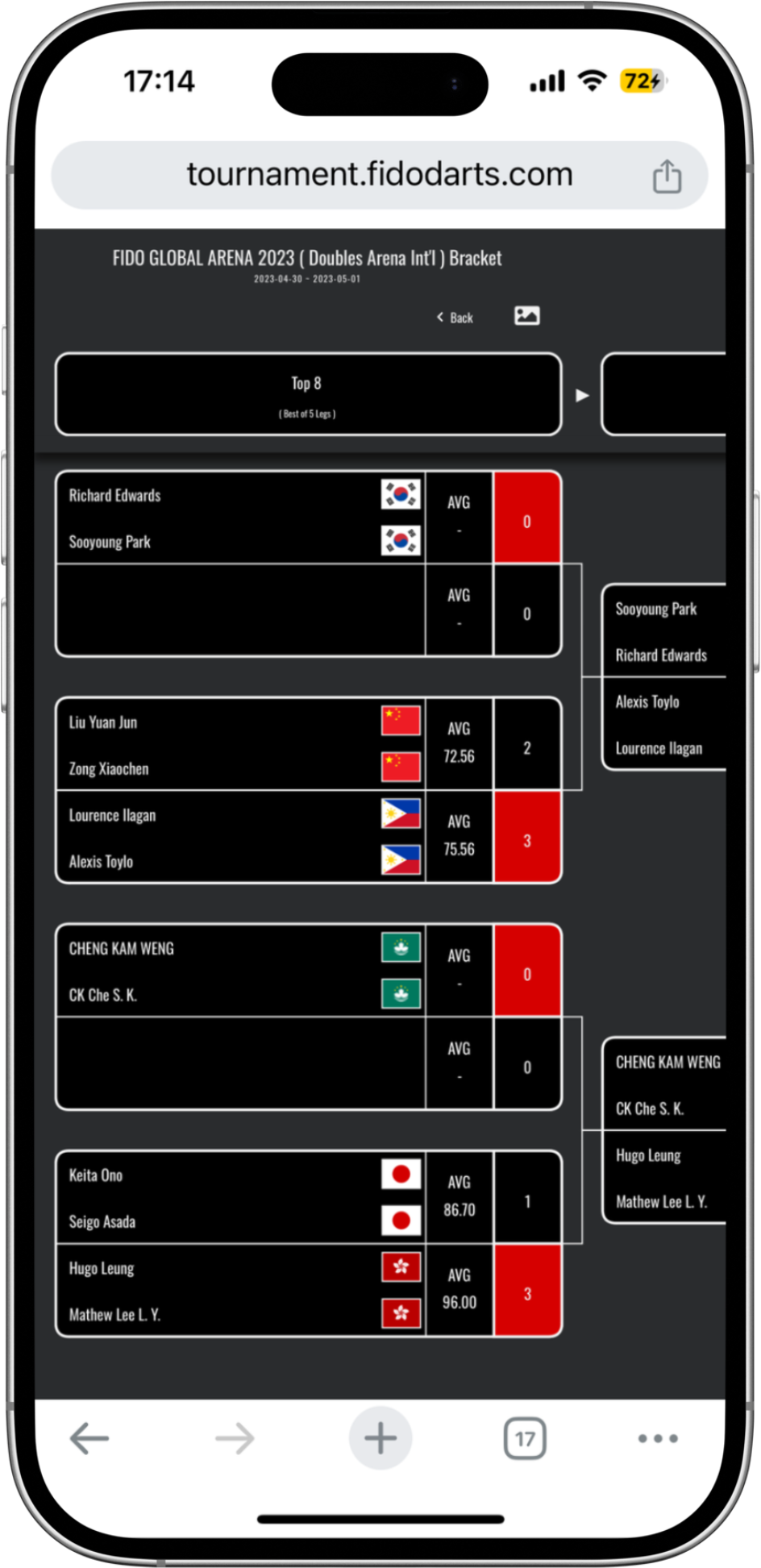
FidoDarts App tournament real-time bracket
Real-time bracketView the current tournament bracket as the event progresses.

FidoLive

Broadcast the dart machine screen during competition

FidoDarts provides the FidoLive system so organizers can stream the dart machine screen while tournament matches are being played.

For local distributors

Create tournaments as a distributor

FidoDarts distributors can publish tournaments through the provided backend.
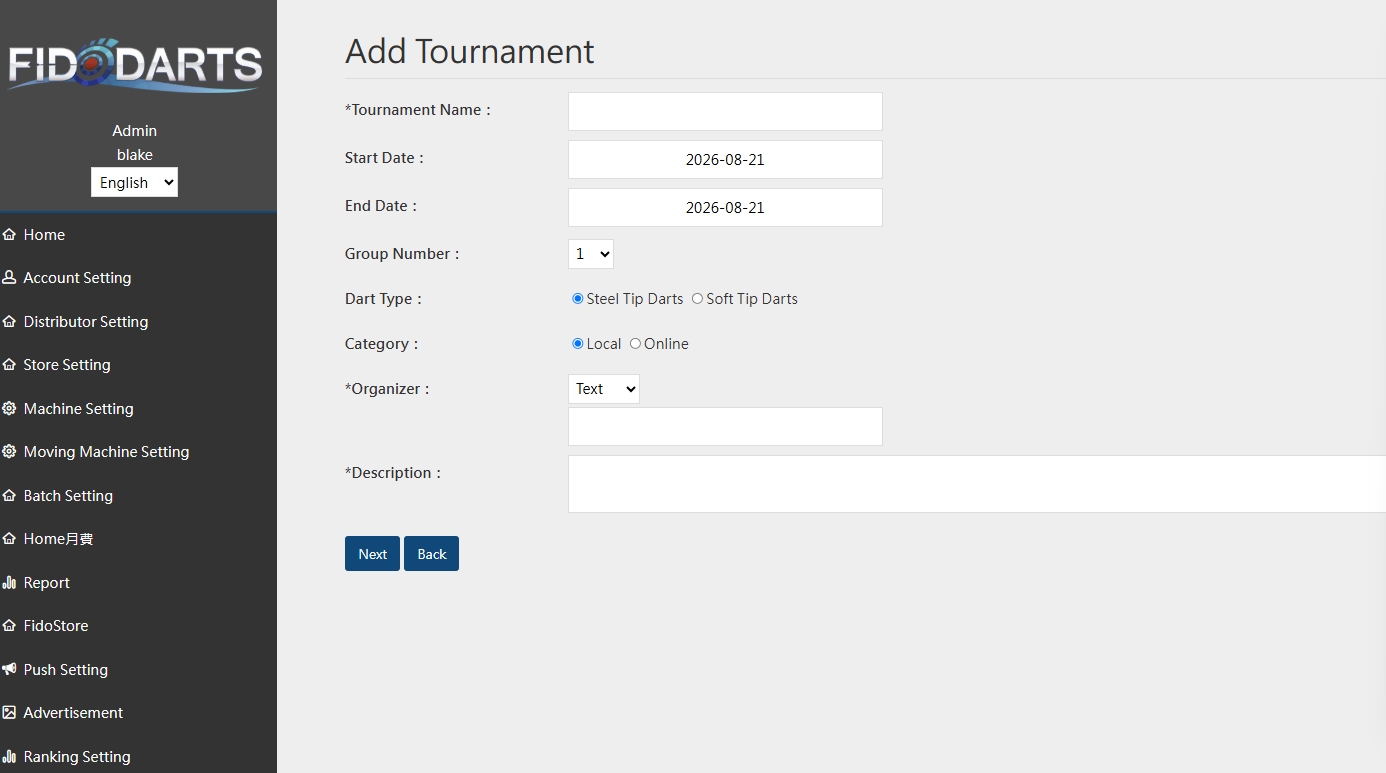
FidoDarts backend used to create and publish a tournament
  • Publish FidoDarts tournaments from the backend.
  • Run local tournaments or online tournaments.
  • Use FidoLive to stream the dart machine screen during matches.

Tournament examples

FidoDarts tournaments in actual competition

These materials show FidoDarts tournament identity, champions, online competition and an official qualifier in actual use.

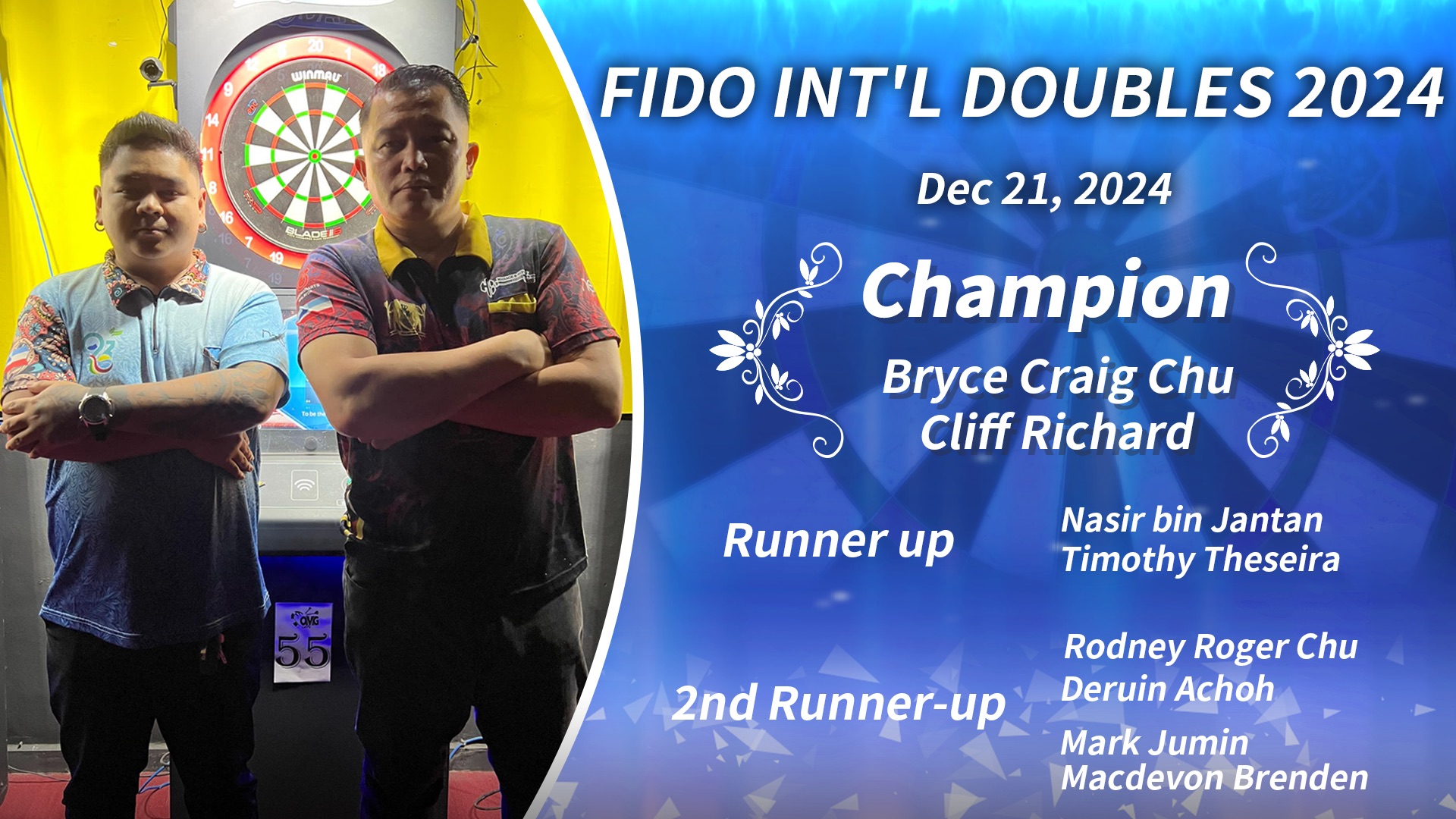
2024 FIDO INTL DOUBLES tournament poster
2024 FIDO INTL DOUBLESTournament event visual.
2024 FIDO INTL DOUBLES champions
Tournament championsThe winners of the 2024 FIDO INTL DOUBLES.
Players in the 2024 FidoDarts online tournament
Online tournamentPlayers taking part in a FidoDarts online tournament.
Players at the 2022 PDC Asian Championship Taiwan Qualifier
PDC Asian Championship qualifierPlayers at the 2022 Taiwan qualifier.

Measure the stability of your throw

CONSISTENCY

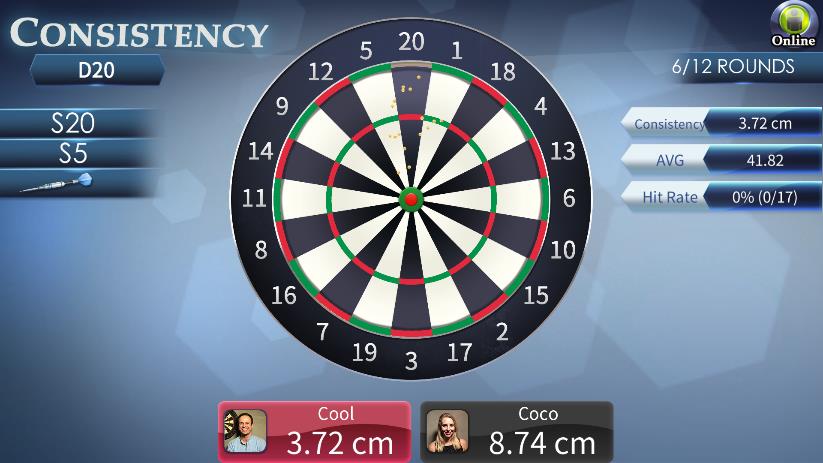
CONSISTENCY records all dart landing points and calculates their consistency, making it possible to check the stability of your throwing.
Players
1–4 players
Recorded data
Every dart landing point
Calculation
Consistency
Use
Check throwing stability
FidoDarts CONSISTENCY practice screen
Actual FidoDarts CONSISTENCY practice screen.
Practice objective

Check how consistently your darts group

Complete the practice while FidoDarts records each landing point and calculates consistency.

Practice result

Review the stability of your throw

Use the recorded landing points and calculated consistency to check throwing stability.

How CONSISTENCY works

Throw normally and review the recorded grouping

  1. 01

    Start the practice

    Choose CONSISTENCY for one to four players.

  2. 02

    Throw your darts

    FidoDarts records every dart landing point.

  3. 03

    Review consistency

    Use the calculated result to check throwing stability.

FidoDarts App records

Review your practice after the game

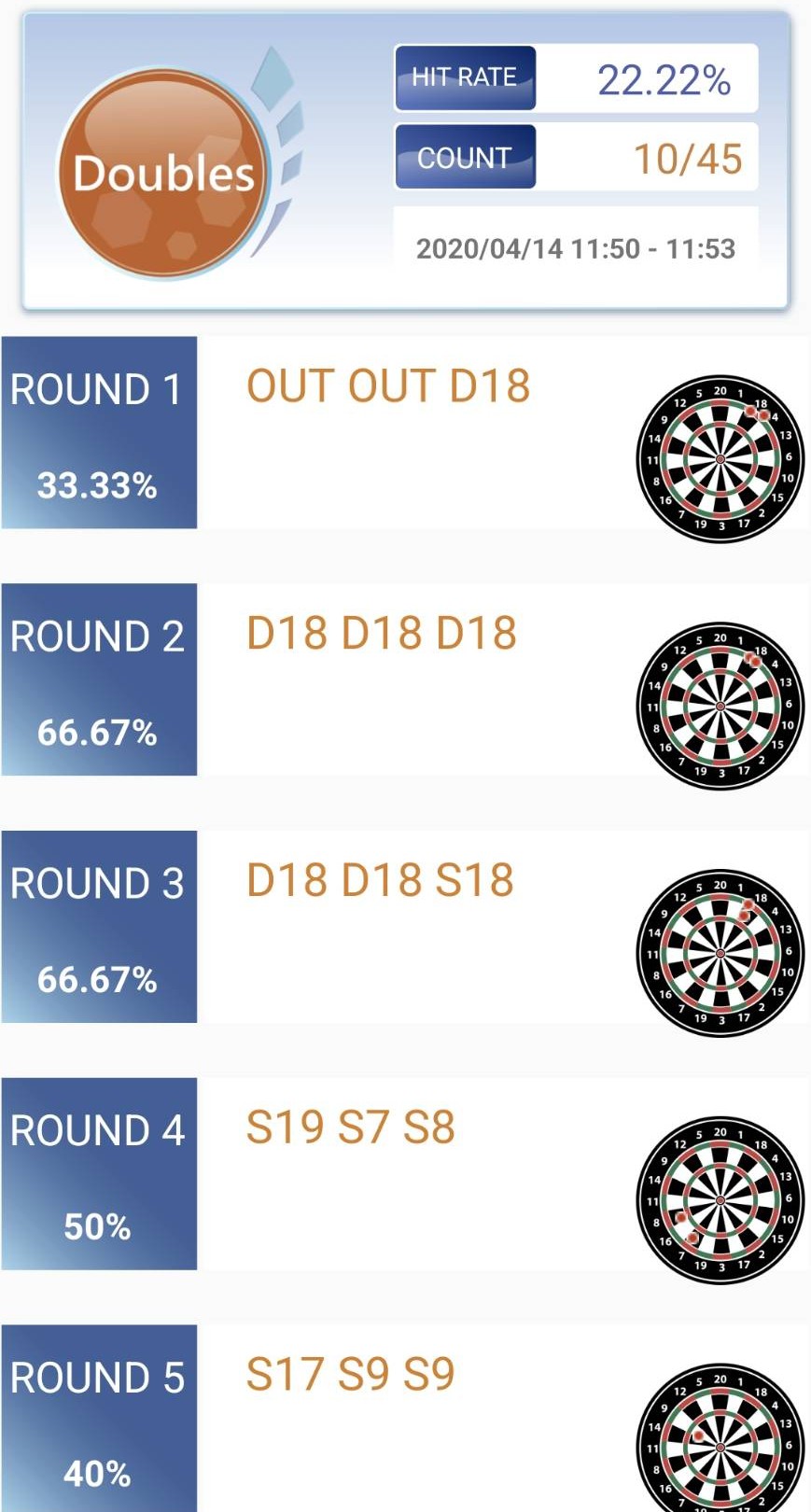
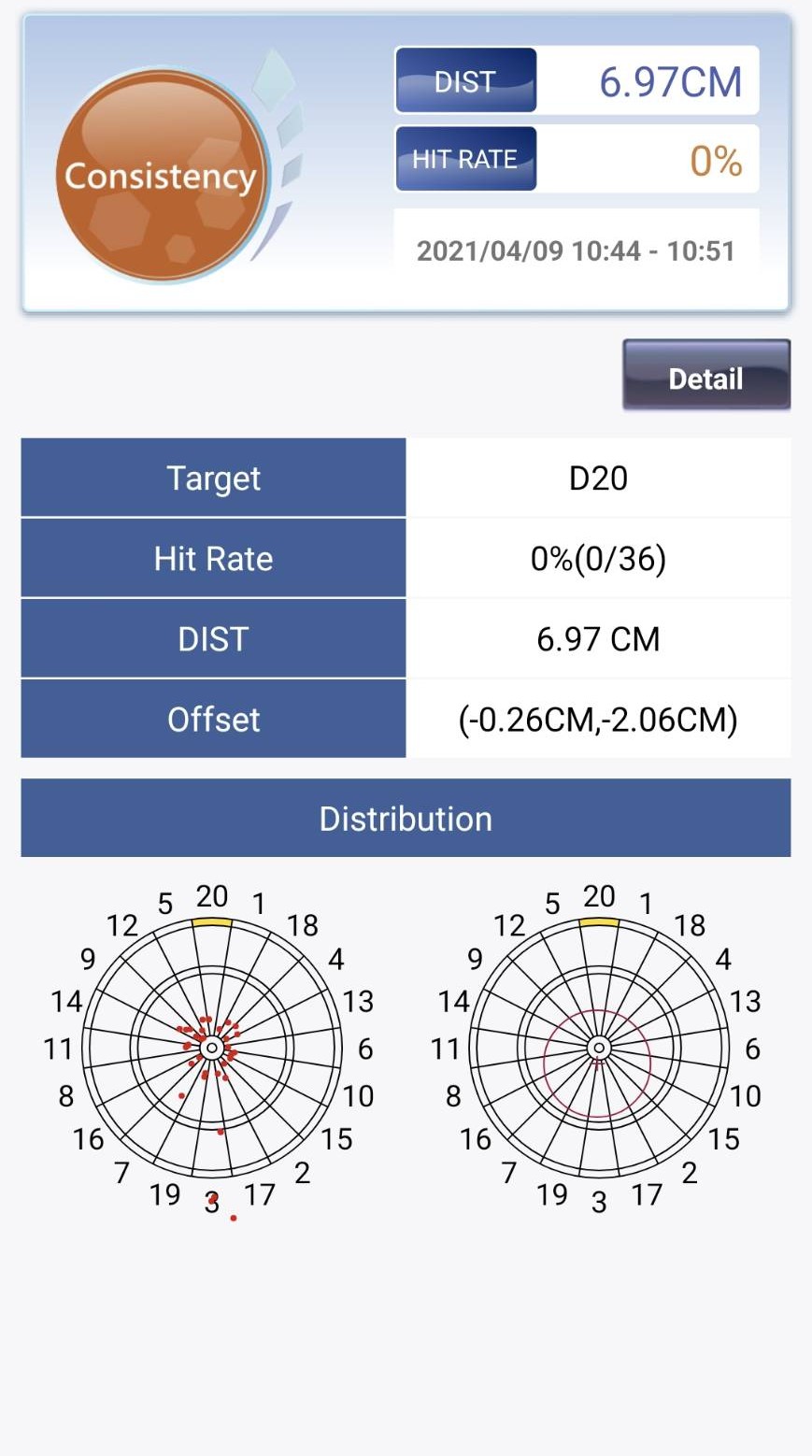
The FidoDarts App keeps practice history, dart grouping and recent progress so you can review each session.
FidoDarts App history showing one practice session
Review one practice sessionOpen a game in App history to review that session's practice result.
FidoDarts App consistency history showing dart landing positions
See every dart landing pointConsistency practice shows the landing position of every dart.
FidoDarts App chart showing recent practice results
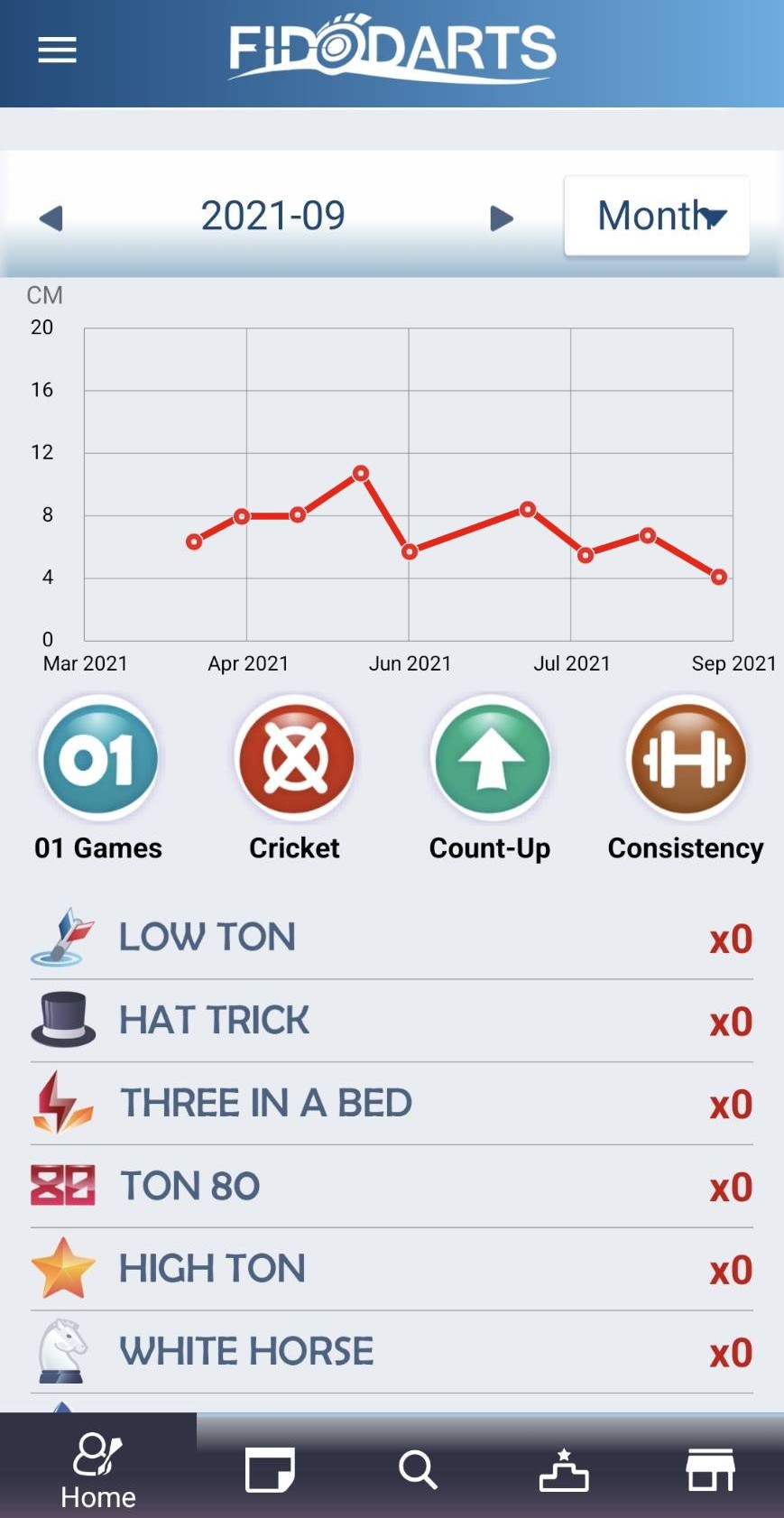
Check recent progressThe summary chart shows whether your recent practice results are improving.

Track your Bull's Eye hit rate

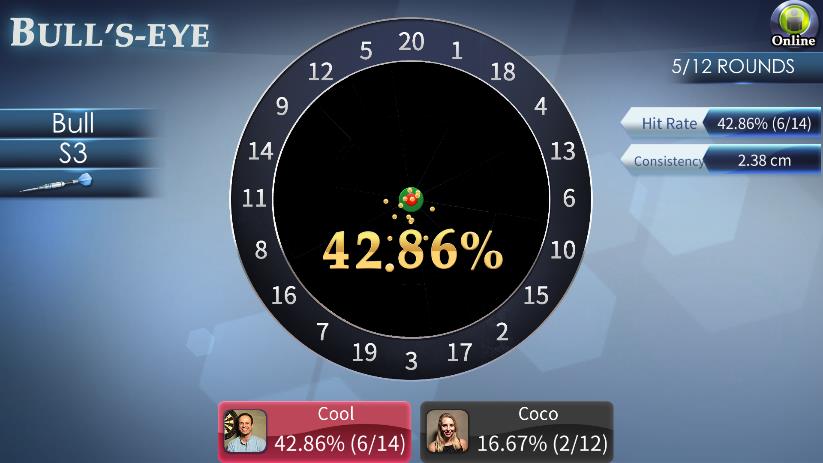
BULL'S EYE

BULL'S EYE displays the hit rate as Bull's Eye darts divided by total darts, giving a direct measure for this scoring practice.

Players
1–4 players
Target
Bull's Eye
Result
Hit rate
Calculation
Bull hits ÷ total darts
FidoDarts BULL'S EYE practice screen
Actual FidoDarts BULL'S EYE practice screen.
Practice objective

Improve Bull's Eye scoring

Aim at the Bull's Eye throughout the practice and build a record of successful hits.

Practice result

Read the Bull's Eye hit rate

The screen calculates Bull's Eye darts divided by total darts so you can evaluate the session.

How BULL'S EYE works

Aim at the center and track every hit

  1. 01

    Start Bull's Eye practice

    Choose the mode for one to four players.

  2. 02

    Aim at the Bull's Eye

    Throw each dart at the center target.

  3. 03

    Check the hit rate

    Compare Bull's Eye darts with the total number of darts thrown.

FidoDarts App records

Review your practice after the game

The FidoDarts App keeps practice history, dart grouping and recent progress so you can review each session.
FidoDarts App history showing one practice session
Review one practice sessionOpen a game in App history to review that session's practice result.
FidoDarts App consistency history showing dart landing positions
See every dart landing pointConsistency practice shows the landing position of every dart.
FidoDarts App chart showing recent practice results
Check recent progressThe summary chart shows whether your recent practice results are improving.

Practice selected Double targets

DOUBLES

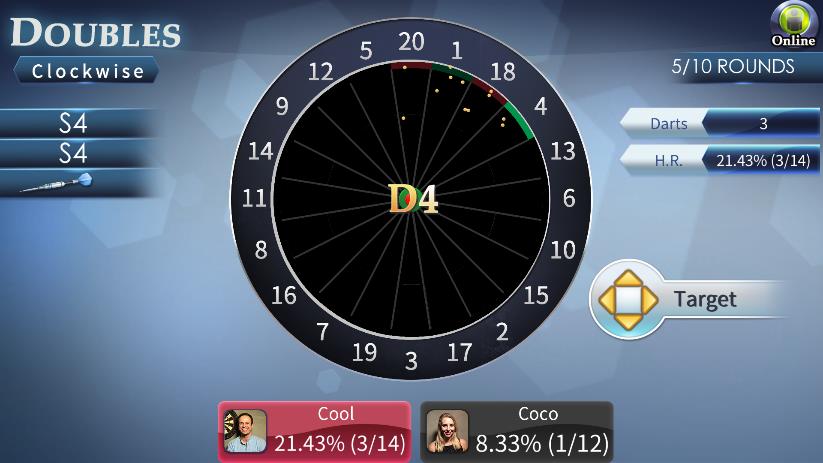
DOUBLES lets you choose a game type based on the targets you want to practice. Hitting the assigned area advances to the next grid.
Players
1–4 players
Selection
Choose a game type
Progress
Hit target to advance
Purpose
Improve checkout rate
FidoDarts DOUBLES practice screen
Actual FidoDarts DOUBLES practice screen.
Practice objective

Complete the selected Double targets

Work through the targets defined by the chosen game type and hit each target area.

Practice result

Advance through the practice grids

Every successful target hit advances you to the next grid.

How DOUBLES works

Choose targets, hit them and move forward

  1. 01

    Choose a game type

    Select the type that matches the specific targets you want to practice.

  2. 02

    Aim at the displayed target

    Throw at the target area shown by the game.

  3. 03

    Advance to the next grid

    A successful hit moves the practice to the next grid.

FidoDarts App records

Review your practice after the game

The FidoDarts App keeps practice history, dart grouping and recent progress so you can review each session.

FidoDarts App history showing one practice session
Review one practice sessionOpen a game in App history to review that session's practice result.
FidoDarts App consistency history showing dart landing positions
See every dart landing pointConsistency practice shows the landing position of every dart.
FidoDarts App chart showing recent practice results
Check recent progressThe summary chart shows whether your recent practice results are improving.

Solve checkout questions before time runs out

CHECKOUT

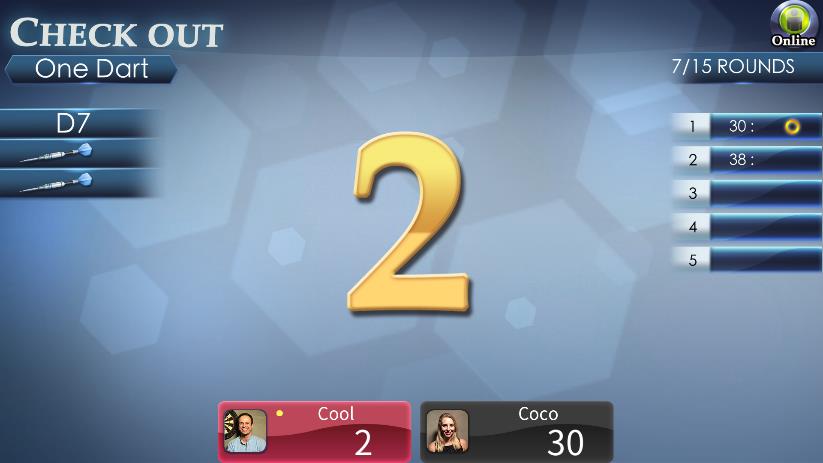
CHECKOUT presents game-based questions and counts how many you complete before the game ends. Different types support different practice methods.
Players
1–4 players
Format
Game-based questions
Goal
Complete as many as possible
Options
Multiple practice types
FidoDarts CHECKOUT practice screen
Actual FidoDarts CHECKOUT practice screen.
Practice objective

Complete checkout questions

Solve as many of the presented game-based questions as possible before the game ends.

Practice result

Count the completed questions

The completed total shows how many checkout questions you solved during the practice.

How CHECKOUT works

Choose a type and solve each checkout

  1. 01

    Choose a practice type

    Select the type that matches the checkout practice method you want.

  2. 02

    Read the game question

    FidoDarts presents a checkout situation to complete.

  3. 03

    Complete as many as possible

    Continue solving questions until the game ends.

FidoDarts App records

Review your practice after the game

The FidoDarts App keeps practice history, dart grouping and recent progress so you can review each session.

FidoDarts App history showing one practice session
Review one practice sessionOpen a game in App history to review that session's practice result.
FidoDarts App consistency history showing dart landing positions
See every dart landing pointConsistency practice shows the landing position of every dart.
FidoDarts App chart showing recent practice results
Check recent progressThe summary chart shows whether your recent practice results are improving.

Practice S20, D20 and T20 across 33 rounds

99 DARTS

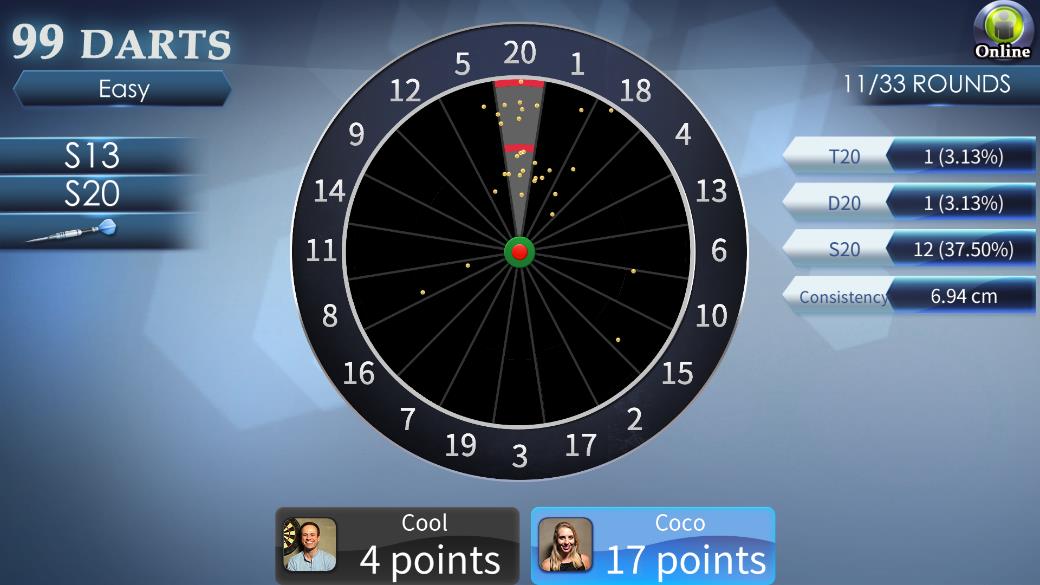
99 DARTS scores hits on S20, D20 and T20 across 33 rounds. Easy, Medium and Difficult assign different point values to the same three targets.
Players
1–4 players
Length
33 rounds
Targets
S20 · D20 · T20
Scoring
Depends on difficulty
FidoDarts 99 DARTS practice screen
Actual FidoDarts 99 DARTS practice screen.
Practice objective

Accumulate points on the 20 segment

Aim at S20, D20 and T20 and build the highest practice total by the end of 33 rounds.

Before throwing

Press the green button

Go to the shooting page and press the green button before throwing.

Three difficulty rules

Scoring changes with the selected difficulty

  1. 01

    Easy

    Single = 1 point, Double = 2 points, Triple = 3 points.

  2. 02

    Medium

    Single = 1 point, Double = 1 point, Triple = 2 points.

  3. 03

    Difficult

    Single = 0 points, Double = 0 points, Triple = 3 points.

  4. 04

    Complete 33 rounds

    Continue aiming at the 20 segment and compare the accumulated total at the end.

FidoDarts App records

Review your practice after the game

The FidoDarts App keeps practice history, dart grouping and recent progress so you can review each session.

FidoDarts App history showing one practice session
Review one practice sessionOpen a game in App history to review that session's practice result.
FidoDarts App consistency history showing dart landing positions
See every dart landing pointConsistency practice shows the landing position of every dart.
FidoDarts App chart showing recent practice results
Check recent progressThe summary chart shows whether your recent practice results are improving.

Repeat 301 checkouts within the round limit

LOOP 301

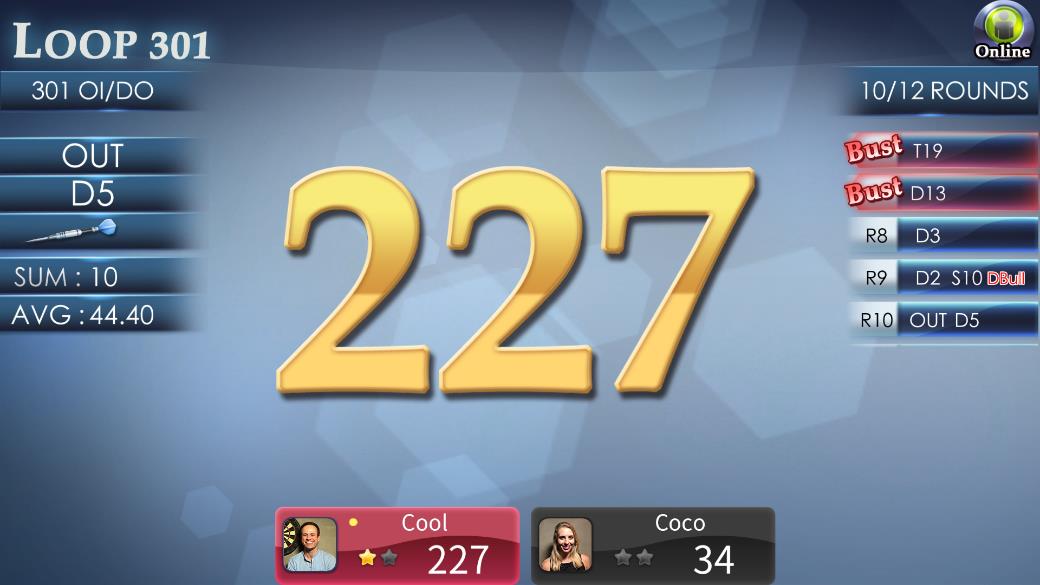
LOOP 301 follows 01 Game rules from a starting score of 301. A checkout earns one Star; after two Stars, that player's participation ends while the others continue.
Players
1–4 players
Starting score
301
Per checkout
1 Star
Completion
2 Stars
FidoDarts LOOP 301 practice screen
Actual FidoDarts LOOP 301 practice screen.
Practice objective

Complete two 301 checkouts

Use the same rules as 01 Game to reduce 301 to zero. Each successful checkout earns one Star.

Practice completion

Earn two Stars

After a player completes two checkouts and earns two Stars, WINNER appears and that player's participation ends. Other players continue.

How LOOP 301 works

Restart 301 and repeat the checkout

  1. 01

    Start from 301

    Each player begins at 301 and follows 01 Game rules.

  2. 02

    Complete a checkout

    Reduce the score to zero to receive one Star.

  3. 03

    Earn the second Star

    After two checkouts, WINNER appears and that player stops participating.

  4. 04

    Finish the practice

    The game ends when all players complete two checkouts or the round limit is reached.

FidoDarts App records

Review your practice after the game

The FidoDarts App keeps practice history, dart grouping and recent progress so you can review each session.

FidoDarts App history showing one practice session
Review one practice sessionOpen a game in App history to review that session's practice result.
FidoDarts App consistency history showing dart landing positions
See every dart landing pointConsistency practice shows the landing position of every dart.
FidoDarts App chart showing recent practice results
Check recent progressThe summary chart shows whether your recent practice results are improving.

New to darts?

Quick dart terms

These terms appear throughout the FidoDarts classic games.

Bull
The circular target at the center of the dartboard.
Double
The narrow outer scoring ring. It scores twice the number hit.
Triple
The narrow inner scoring ring. It scores three times the number hit.
Bust
An invalid 01 Game turn that restores the score to its value at the start of the turn.
CORK
The FidoDarts tiebreak used when nobody checks out before the game ends.
Count
A Cricket mark toward opening a target; Single, Double and Triple provide one, two and three Counts.

Product and partnership enquiries

Contact FidoDarts about products or partnerships

After reviewing the game rules, contact the FidoDarts team for product specifications, availability or partnership information.


Contact FidoDarts
Facebook WhatsApp